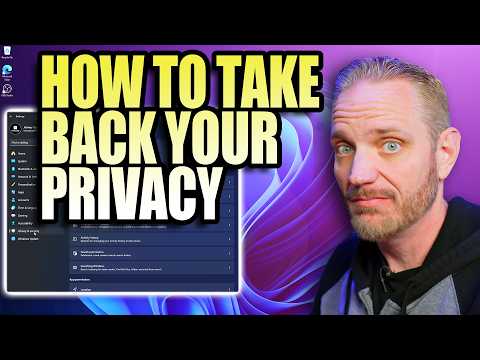
Windows collects a LOT more data than most people realize — and most of it is enabled by default. In this video, I’ll show you exactly how to stop Windows from spying on you by disabling telemetry, tracking, background data collection, and hidden privacy-invading settings buried deep inside Windows 10 and Windows 11.
This is a complete, step-by-step privacy guide covering the exact settings Microsoft doesn’t make obvious — including diagnostic tracking, activity history, advertising ID, background apps, location tracking, and more.
Whether you want maximum privacy, better performance, or just full control over your system, these are the essential settings every Windows user should change immediately.
What you’ll learn:
• How to disable Windows telemetry
• How to turn off hidden tracking settings
• How to stop background data collection
• How to lock down privacy in Windows 10 & 11
• The biggest privacy mistakes most users make
These changes are safe, reversible, and can improve both privacy and system responsiveness.
If you care about performance, control, and protecting your data, this is a must-watch.
○ Get your JayzTwoCents Merch Here! -
https://www.jayztwocents.com
○ Join this channel to get access to perks:
https://www.youtube.com/channel/UCkWQ0gDrqOCarmUKmppD7GQ/join
○ Join the official JTC Discord!
https://discord.gg/jayztwocents
○○○○○○ Items featured in this video available at Amazon ○○○○○○
► Amazon US -
https://amzn.to/43wnUsz
► Amazon UK -
http://amzn.to/Zx813L
► Amazon Canada -
http://amzn.to/1tl6vc6
••• Follow me on your favorite Social Media! •••
Facebook:
http://www.facebook.com/jayztwocents
Twitter:
http://www.twitter.com/jayztwocents
Instagram:
http://instagram.com/jayztwocents#
SUBSCRIBE!
http://bit.ly/sub2JayzTwoCents
---
00:00 Windows Privacy
01:29 Diagnostics and Feedback (Telemetry)
02:57 Advertising and ID Tracking
04:45 Activity History
05:20 Location Services
07:51 Speech Recognition
09:25 App Hardware Permissions
13:16 Start Menu Recommendations
14:45 OneDrive and Windows Backup
20:24 Microsoft Edge Privacy Settings
22:50 Background Apps
25:01 Windows Search
27:54 Windows Feedback
28:42 Disabling Telemetry Service
29:31 Other Methods







































































































































































































Comments (0)