
Remember me









This job puts me in contact with a lot of tech I’d probably never ordinarily come across. Most of it adds nothing to my life, but looks cool sitting on my desk or around the house. For example, I have curtains in the lounge that open and close by themselves, and when we have had people around, and they have started moving autonomously, I’ve got looks like it is some kind of witchcraft.
So when a box containing the BenQ ScreenBar Halo 2 arrived, I was very much of the line of thought of “Yeah, this looks like a nice piece of kit, but what’s the actual point?” I was about to be as wrong with a first impression as I have been in all my years doing this for a living.
So, what is the Screenbar Halo 2?If you were being disingenuous, you could pass off the ScreenBar Halo 2 as nothing more than an expensive desk lamp and be done with it. That would be a terrible mistake.
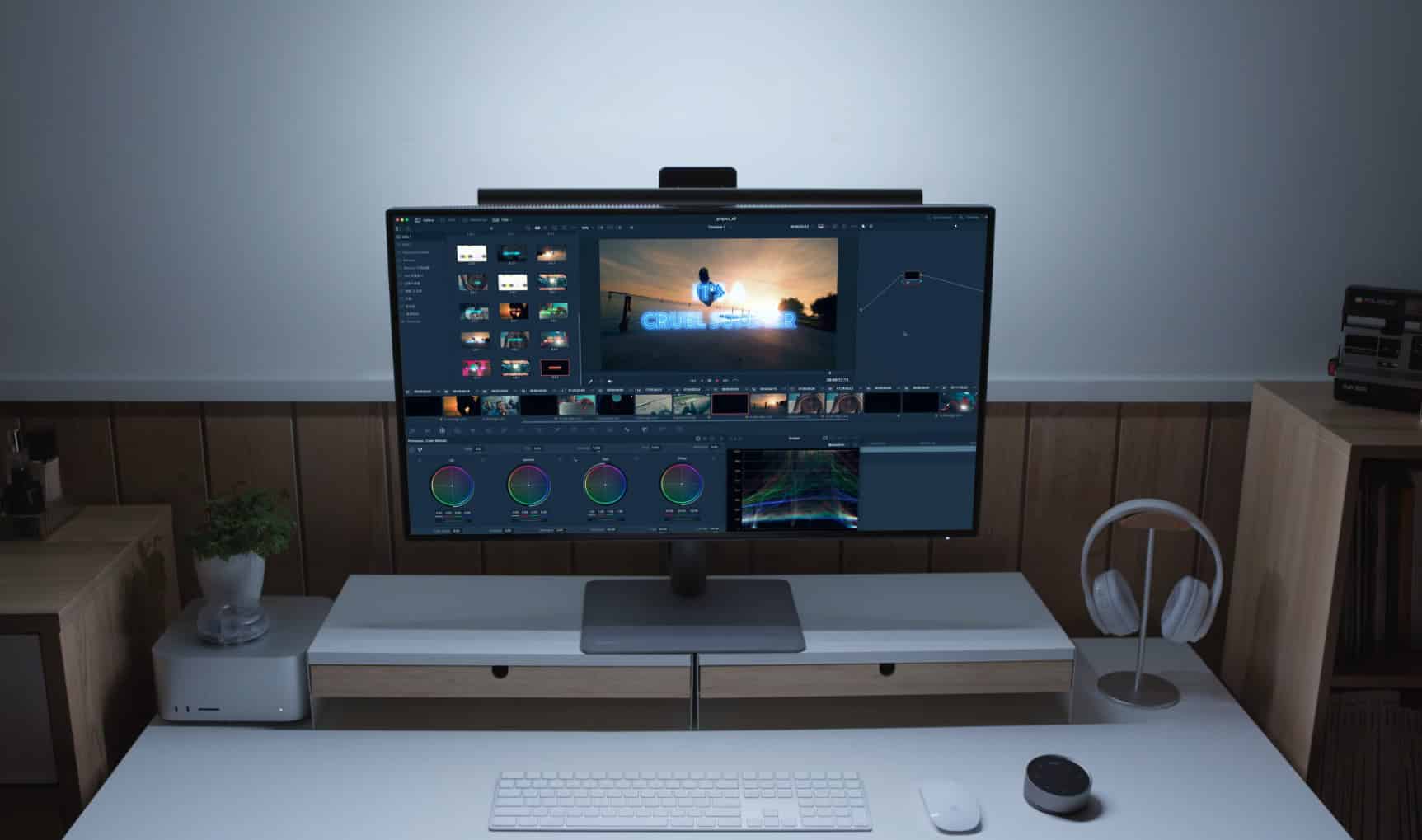
Firstly, it is a nice-looking “thing” that consists of an aluminium bar around two feet in length with a monitor mount you will have seen the likes of on a webcam. So, place it on your monitor – and mine is on a 49″ curved ultrawide from Innocn with no problems and power it via a USB-C. My monitor actually has a USB-C power out on the back as well, so for me it was simply a case of plugging it in there.
The other part of the setup is a beautifully, and I mean beautifully, crafted space grey aluminium puck with a touch-sensitive screen consisting of seven icons and a BenQ logo. In the center is an information panel that tells you how bright the Halo 2 currently is.
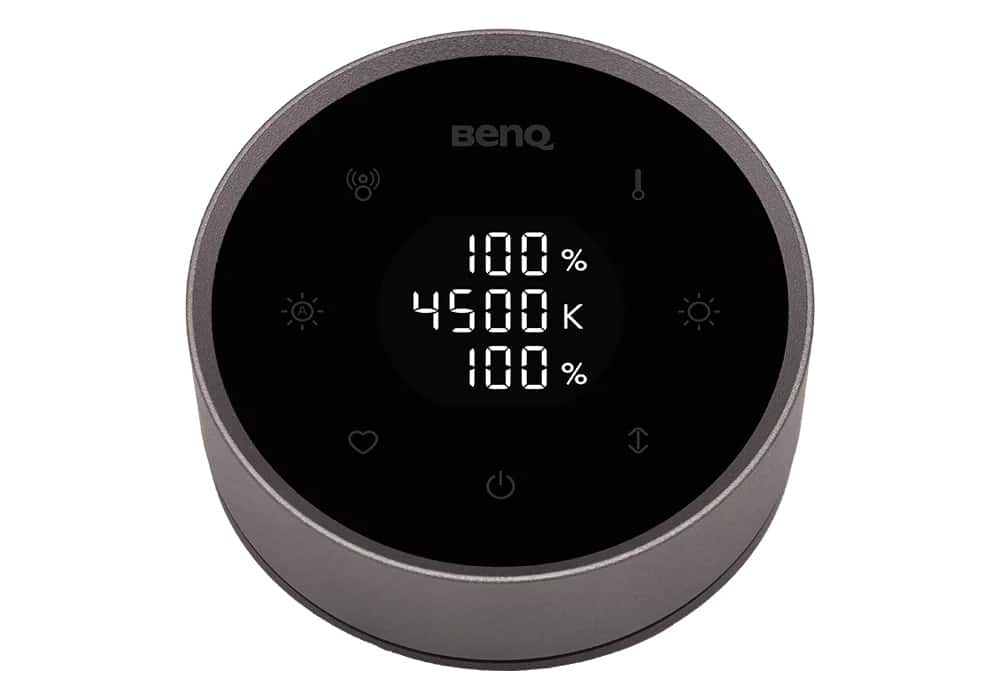
The brightness can either be adjusted by pressing the Auto icon, which will adapt it to your current surroundings, or by rotating the dial on the edge of the puck. This is one of the smoothest actions I can recall. It is just lovely, and sci-fi and cool af.
The puck itself is recharged by USB, so it has no wired connections, and it just worked out of the box with the Halo 2 – no pairing or anything. It was like magic. You can adjust the brightness and the temperature of the light (all white, no RGB, it’s worth pointing out) and set a memory for a setting you find yourself coming back to. In truth, I generally leave it to auto and I just forget it is even there.
To eliminate glare at the source, ScreenBar Halo 2 is engineered with an 8-section reflector, 12 precision lenses, and an 18° cut-off angle which directs light precisely onto your desk and not your eyes. This research-driven design minimizes reflections and glare, reducing unnecessary pupil dilations to deliver lasting visual comfort, even during extended work sessions.
BenQ Presence detectionI alluded above as to how the ScreenBar Halo 2 has actually changed how I play games and how wrong I was initially and presence detection on the device is a big part of that. The Halo 2 knows when you are there and when you are not, and activates and switches off accordingly.
You set it up from the puck, it takes two seconds, and forget about it. Now, when you leave your desk, after a few seconds the bar turns off, and when you return it lights up your space with its glow.
This has been a real game-changer for me. As I get older and my eyes fail, the glare from a 49″ monitor when working or playing at night, I have no qualms, is hurting my eyes. Since using the Halo 2 for around a month now, I have noticeably had less eyestrain and tired eyes, and I would anecdotally argue I have slept better.
If you stare at screens all day, this is an upgrade that quietly makes late nights less brutal.
A large part of this is down to the presence detection, because, at my core, I am a lazy bastard as well as being forgetful, and if I had to constantly turn the system on and off, I have no doubts it would not be permanently in use as it is. The fact that it is just fire and forget once and just works thereafter means the Screenbar Halo 2 is intrinsically linked to my working space, and it is beautiful.
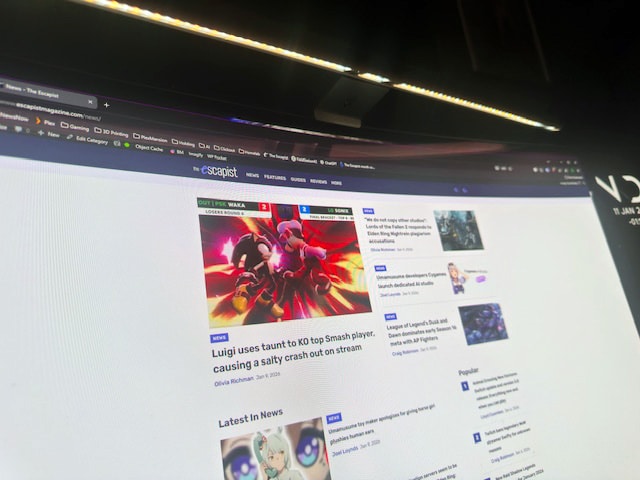
Lighting optionsSomehow, the light beaming down at your screen and desk space doesn’t reflect at all on your monitor. That’s great, but there is also another icon on the puck that, when tapped, fires off a second light I didn’t even realise was there at the back of the Halo 2 that lights the area behind your monitor, providing even more light to the space. You can have that light on with the screen light, on without the screen light or off, just by cycling through three presses on the icon.
Do you need the ScreenBar Halo 2 in your life?If there is an elephant trying to get in the room, it has a price tag around its leathery neck. In the UK, the Halo 2 costs £149, which, potentially, if you are a fool, is more expensive than the cheap monitor you are currently straining your eyes on.
Don’t be under any illusions that this is just a desk lamp though, it is much more than that. Whereas before at night I may find myself switching my overhead light on – which is a smart bulb and dimmable at that, my space still always felt lit “wrong”. With the Screenbar Halo 2 operating it seems “right”, which is weird and not very technical I know.
Do you need the Halo 2? Well, it’s easy to say obviously not, but you might actually be wrong, as it may change your life as it has mine. I know that sounds dramatic, and I don’t mean it’s changed my outlook in any way – I haven’t found religion because of BenQ and its posh lamp, but it has definitely changed my quality of life as somebody who works all day, every day at a computer. Look, we are all adults here, it’s not cheap, but we work hard to buy nice things when we can. Most of the time, that money is spent on extravagance, but here, there is genuine upside to your peepholes.
The Halo 2 certainly isn’t just useful for working. If you game a lot in a dim, dark room as I do, then I think you will find it will actually quickly become essential to your activity.
 A dirty con
As this is a review, I need a complaint to balance it out, beyond prodding at price, but the only thing that annoys me about Halo 2 and its wonderful puck is actually its wonderful puck. Well, more accurately, the surface of the touch screen, which keeps greasy fingermarks like nothing I have ever seen on its gloss coating. Then, of course, because it is touch sensitive, you can’t just wipe the marks off without affecting the light and causing yourself to have a fit as the brightness goes up and down as you try to clean. You can turn the puck off and do it, of course, but the second you turn it back on again, there is another fingerprint on it already.
Maybe I have greasy hands – I don’t think I do particularly, but it also attracts dust. It’s such a small thing about a great product, but it does annoy me because everything else looks so beautiful that to have something in front of my keyboard that looks like a 2 two-year-old has smeared its rusks all over it is a shame.
But that’s a minor gripe that irritates me, and maybe not you. Can I recommend the BenQ ScreenBar Halo 2 – absolutely, unequivocally. If you work with a screen for the majority of your time, it will absolutely benefit you.
Yes, you might be able to get cheap monitor bar knockoffs from Amazon or Ali for a fraction of the price, and depending on your use case, you may get some of the benefits. That’s for you to decide, but personally I wouldn’t look any further than the Halo 2 going forward.
Quick Specs & Core TechLighting & Performance
Dual-colour LED with stepless brightness control from 0–100%.Colour temperature range: 2700 K to 6500 K — warm to cool lighting for different moods/workflow.
Center illuminance ~1000 lux at 50 cm — plenty of punch for desk tasks.
Color Fidelity Index Rf ≥ 96 up front, giving accurate colour tone reproduction.
Zero-glare asymmetric lighting to cut reflection on the screen.
Design & Build
Sleek aluminium + PC/ABS construction feels premium and robust.New tri-zone backlight expands ambient coverage by a claimed ~423% vs first-gen Halo.
Patented clamp fits most monitors: 0.43–6 cm thickness, curved (1000–1800R) or flat.
Front edge designed not to block built-in webcams, with optional webcam mount included.
Controls
Rechargeable wireless controller puck with numeric touch panel — brightness & colour temp shown on screen.Auto-on/off based on motion (ultrasonic sensor detects you approach or leave).
Memory for preferred lighting settings.
Power & Fit
USB-C powered — simple single cable setup.Works with curved monitors and ultra-thin bezels; doesn’t block webcams or add bulk.
The Escapist is supported by our audience. When you purchase through links on our site, we may earn a small affiliate commission. Learn more about our Affiliate Policy
Comments (0)