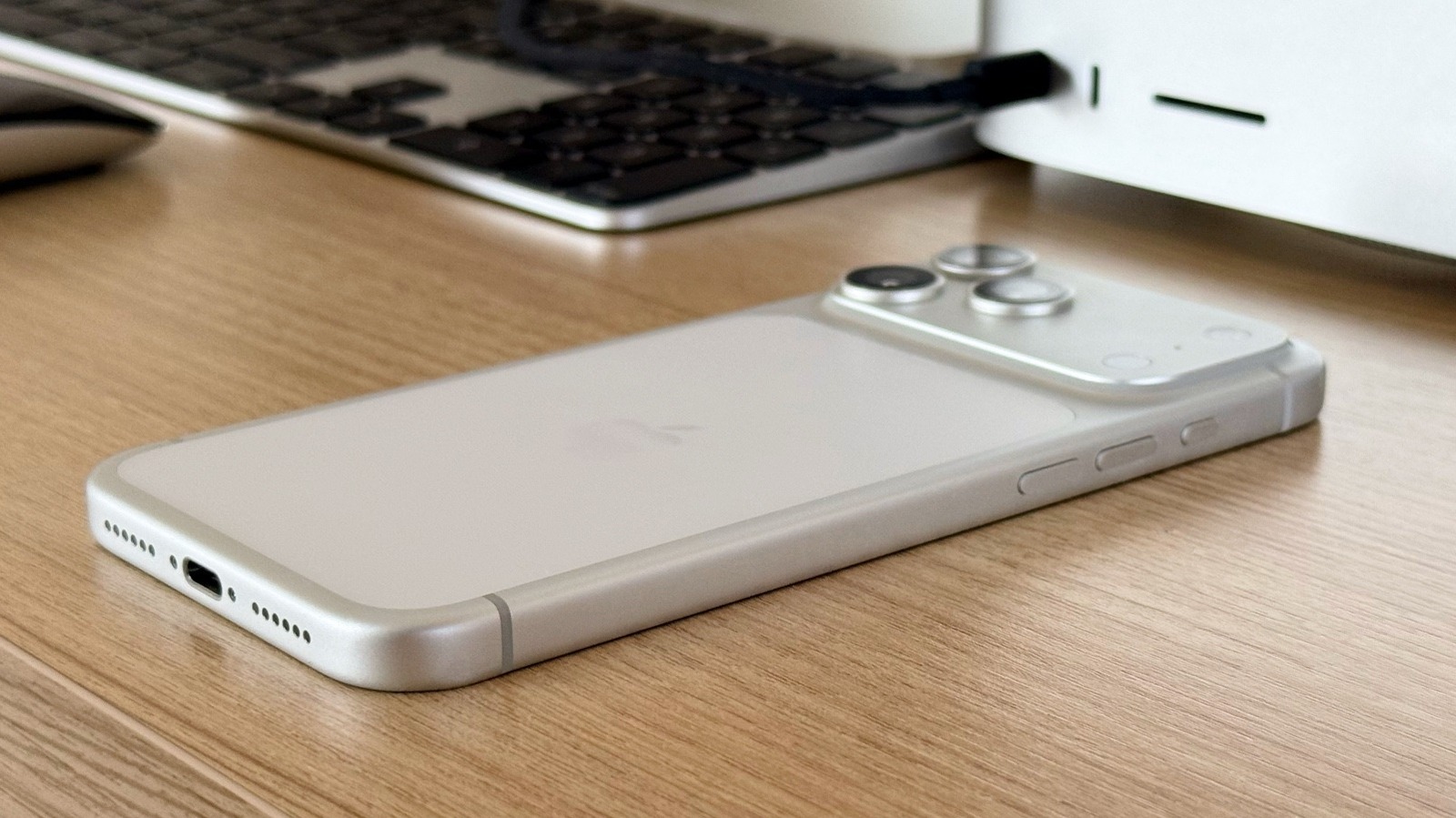
If you own an iPhone, you've probably seen those lines on the side of your device. Also, if you paid attention enough, you probably saw that there are similar lines on iPads and Apple Watches with cellular connectivity. The reason why these lines exist is not related to aesthetics, but because they serve as antennas, some of the most important parts of your iPhone. After all, those antennas allow your internal Bluetooth, WI-Fi, and 5G chips to talk to the world around you, as they're the ones receiving and transmitting the digital waves that connect your phone to different networks.
For example, on the latest iPhone 17 Pro models, you can see that the antenna lines circle the camera plateau, and they also appear at the end of your phone. The antenna lines were also very visible in earlier iPhone designs, like the iPhone 6, where they crossed the small main camera and the bottom of the phone. However, if you've owned anything from an iPhone 8 to an iPhone 16 Pro, you might not have noticed those lines, as they blended in with the stainless steel and titanium finish. The antennas were still there, though.
Those lines are more important than they seem
If Apple, or any smartphone maker, were to make a smartphone without those antenna lines, like a unique piece of aluminum, stainless steel, or titanium and glass, these phones would have a terrible signal. After all, these antenna lines are functional breaks in the metal enclosure that let radio signals pass through. Metal frames weaken the radio frequency signals, which means that without those breaks, the device would offer terrible connectivity for Wi-Fi, Bluetooth, GPS, and cellular performance.
This is why Apple uses these non-conductive bands, which can be made of polymer or composite, to create these windows that signal can enter and exit efficiently. Behind them, the iPhone has multiple antennas positioned around the chassis to support the different frequency bands and technologies. For example, the American iPhones feature a specific mmWave cutout for ultra-fast 5G connectivity that no other iPhone features.
That said, it's interesting to note that cases usually don't interfere with antenna lines, as long as they're made of silicone, plastic, or leather, as these materials are RF-transparent enough to not significantly block signals. Thick cases, on the other hand, can cause signal disruption, regardless of material.
Poor iPhone design once created a controversy
If you're old enough, you remember when Steve Jobs introduced the all-new iPhone 4 with a revamped design. What started as a beautiful new phone had terrible repercussions, as, depending on the way people held the device, the cellular connection could immediately drop. While this eventually turned into the iconic phrase where Jobs said that customers were holding the iPhone wrong, Apple eventually started to offer a free bumper case, a strategy that could return, to mitigate the issue. Even though iOS 4.0.1 was also important in resolving the issue with the iPhone 4 antennas, the faulty hardware was actually a thing, as the company also redesigned the stainless steel frame of the iPhone 4S.
Besides that, one of the many fixes for the iPhone 4's Antennagate came down to just 20 bytes of code. Years later, an engineer checked what the difference between iOS 4.0 and iOS 4.01 was. Basically, Apple made a small change that corrected how it calculated the iPhone's signal strength. The device would often display four or five bars when reception was actually much weaker, which would cause a drastic drop when people held the phone. As a fix, the company only had to adjust the values, as even though users saw fewer five-bar readings, they also experienced fewer drastic drops. Still, the free bumper also helped to mitigate the issue, as it prevented direct skin contact with the antenna segments, which would help not degrade signal performance.







Comments (0)