
Remember me


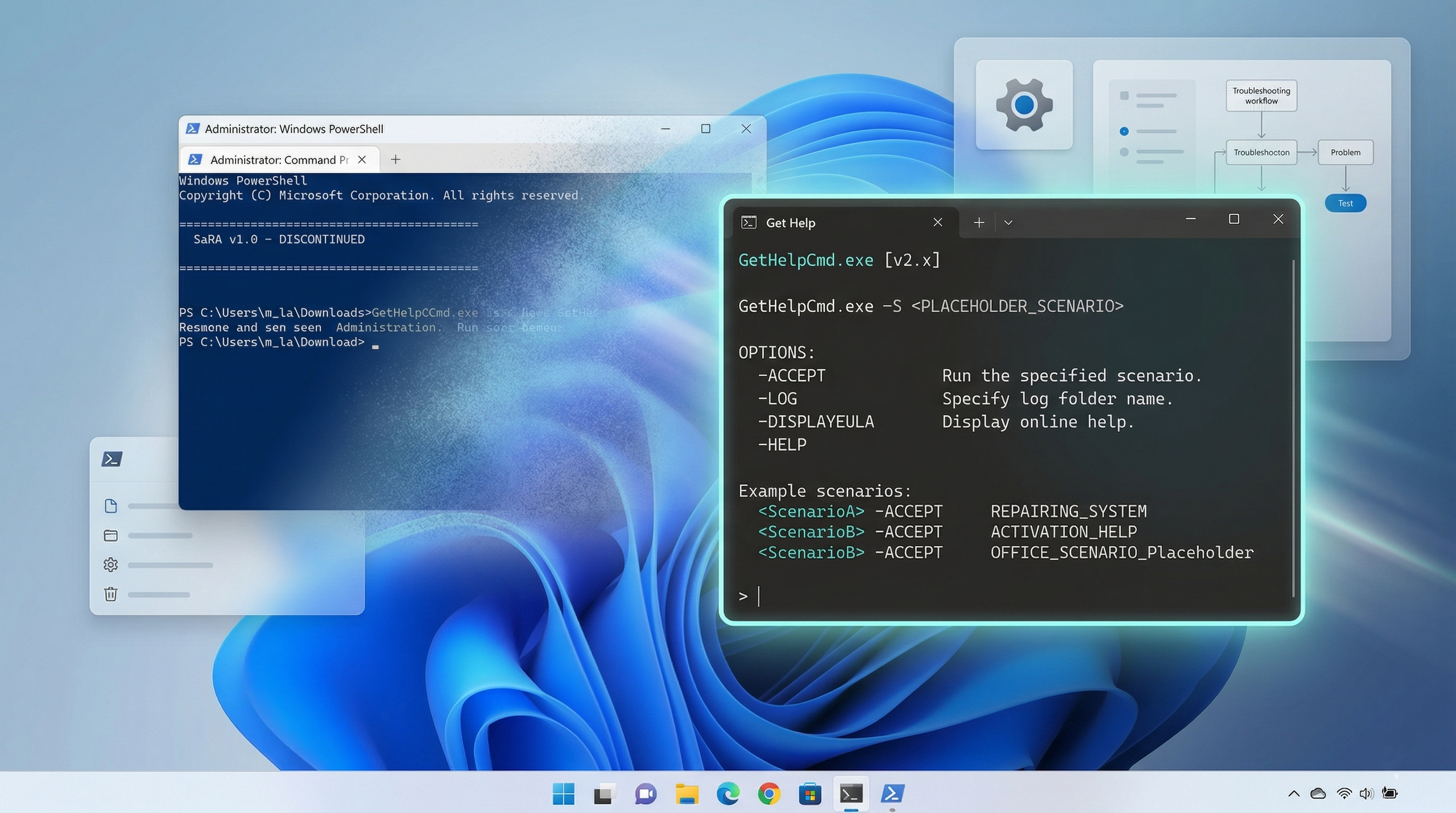

On Windows 11, Microsoft has removed the Support and Recovery Assistant utility (SaRA) with the release of the March 2026 Security Update, replacing it with the "Get Help" command-line tool as part of its effort to modernize support tools and improve system security.
For context, Support and Recovery Assistant was specifically designed as a diagnostic utility to automatically troubleshoot and fix common problems affecting Windows 11 (and older versions) and Microsoft 365 apps, including Outlook and Teams. It could detect issues, apply fixes, or guide users through manual steps. However, due to its legacy infrastructure, the tool has now been deprecated and removed from supported versions of the operating system.
Article continues below You may like Your Windows 10 PC might be threatened by a recovery bug, so grab this update
 Windows 11 update KB5074109 is causing issues — and Microsoft now says to uninstall it
 Get rid of the Copilot app on Windows 11
Gettings started with Get Help command-line tool on Windows 11
Get rid of the Copilot app on Windows 11
Gettings started with Get Help command-line tool on Windows 11To get started with the Get Help command, use these steps:
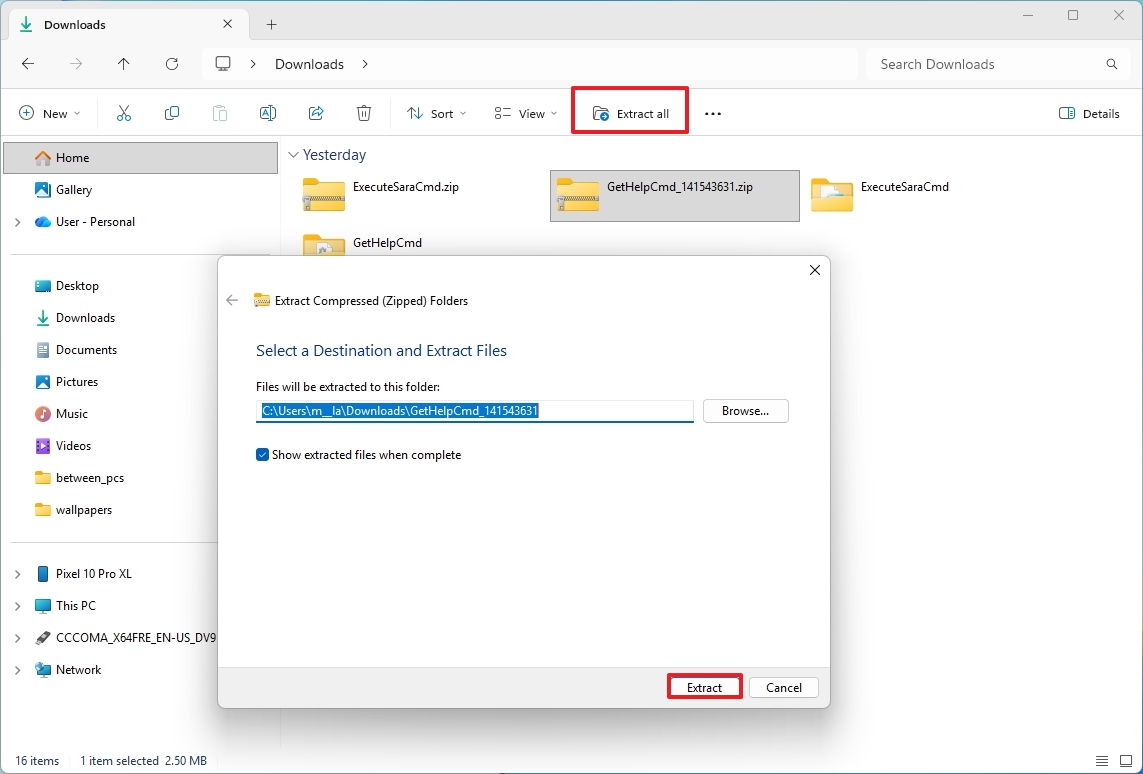
Download the Get Help files on your computer.Select the ".zip" and click the Extract All button in the File Explorer command bar.Click the Extract button.
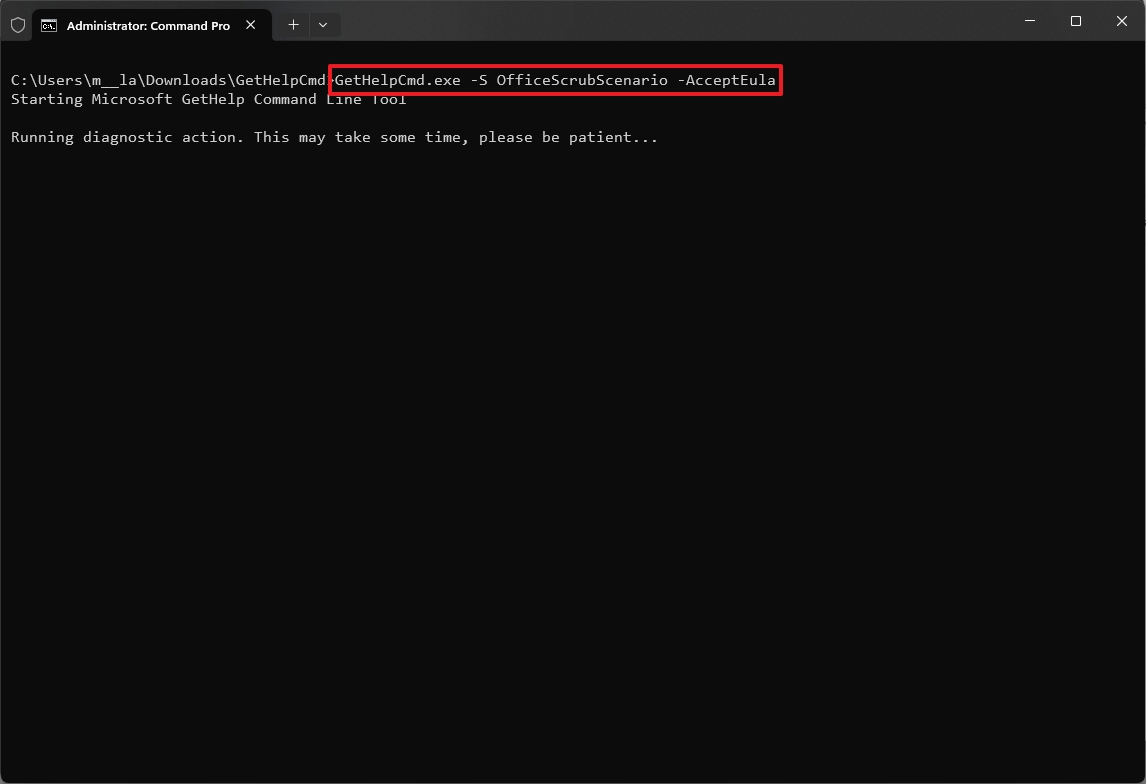
Once you complete the steps, you have to look for the output number to confirm the task has been completed successfully.
For instance, if you ran the first example, the "01" code means that an offline scan was performed because Outlook is either not running or running elevated. The "02" code means that a full scan was performed. You can learn more about the conditions and results on this page.
What to read next Windows 11 gains command-line version of the Microsoft Store
 How to fine‑tune Windows 11 with the powerful Sophia Script
 Updates as Samsung apps blamed for Windows 11 drive C errors
On the other hand, in the second example, the "00" code indicates that the uninstall process completed successfully. The "68" code means that the tool didn't find any version of Office. You can learn more about the conditions and results on this page.
Using the tool, you can troubleshoot a variety of issues, including Microsoft 365 activation problems, Outlook profile errors, calendar synchronization issues, and problems with the Teams Meeting add-in. Microsoft provides additional scenarios and detailed information through its support pages for deeper troubleshooting.
FAQs about the Get Help command-line toolThese are common questions regarding the Get Help command-line tool for Windows 11.
What is the Get Help command-line tool on Windows 11?The Get Help command-line tool (GetHelpCmd.exe) is a diagnostic utility from Microsoft that helps troubleshoot and fix issues affecting Windows 11 and Microsoft 365 apps. It replaces the older Support and Recovery Assistant and is designed for automation, scripting, and enterprise-level diagnostics.
Which one should you use Help app or GetHelpCmd.exe?The graphical Get Help app is the best option for most Windows 11 users because it provides guided troubleshooting with a user-friendly interface. In contrast, GetHelpCmd.exe is designed for network administrators who need advanced diagnostics, scripting, and remote management capabilities.
How do I use the Get Help command-line tool on Windows 11?To use GetHelpCmd.exe, download the tool from Microsoft, extract the files, and run Command Prompt as an administrator. Navigate to the folder and execute a scenario command, such as scanning Outlook issues or uninstalling Office. The tool then generates logs and output codes to confirm results.
Why is GetHelpCmd.exe not working after a few months?GetHelpCmd.exe stops working after 90 days because Microsoft enforces an expiration period for each build. This ensures users always run the latest version with updated fixes and security improvements. To resolve this, you must download the newest version of the tool from Microsoft’s support site.
More resourcesExplore more in-depth how-to guides, troubleshooting advice, and essential tips to get the most out of Windows 11 and 10. Start browsing here:

Join us on Reddit at r/WindowsCentral to share your insights and discuss our latest news, reviews, and more.