
Remember me
Translation features are not only becoming more common on smartphones, but they are also becoming more intelligent thanks to the inclusion of AI. These features work seamlessly in tandem with other tech, like smartwatches and even wireless earbuds. We're inching closer to a language barrier becoming a thing of the past, thanks to smart technology like phones.
There are simple yet useful ways to leverage the translation features in your smartphone that you might not even realize. In fact, I have used some of these methods in practical, everyday situations while traveling to countries where English isn't the primary language.
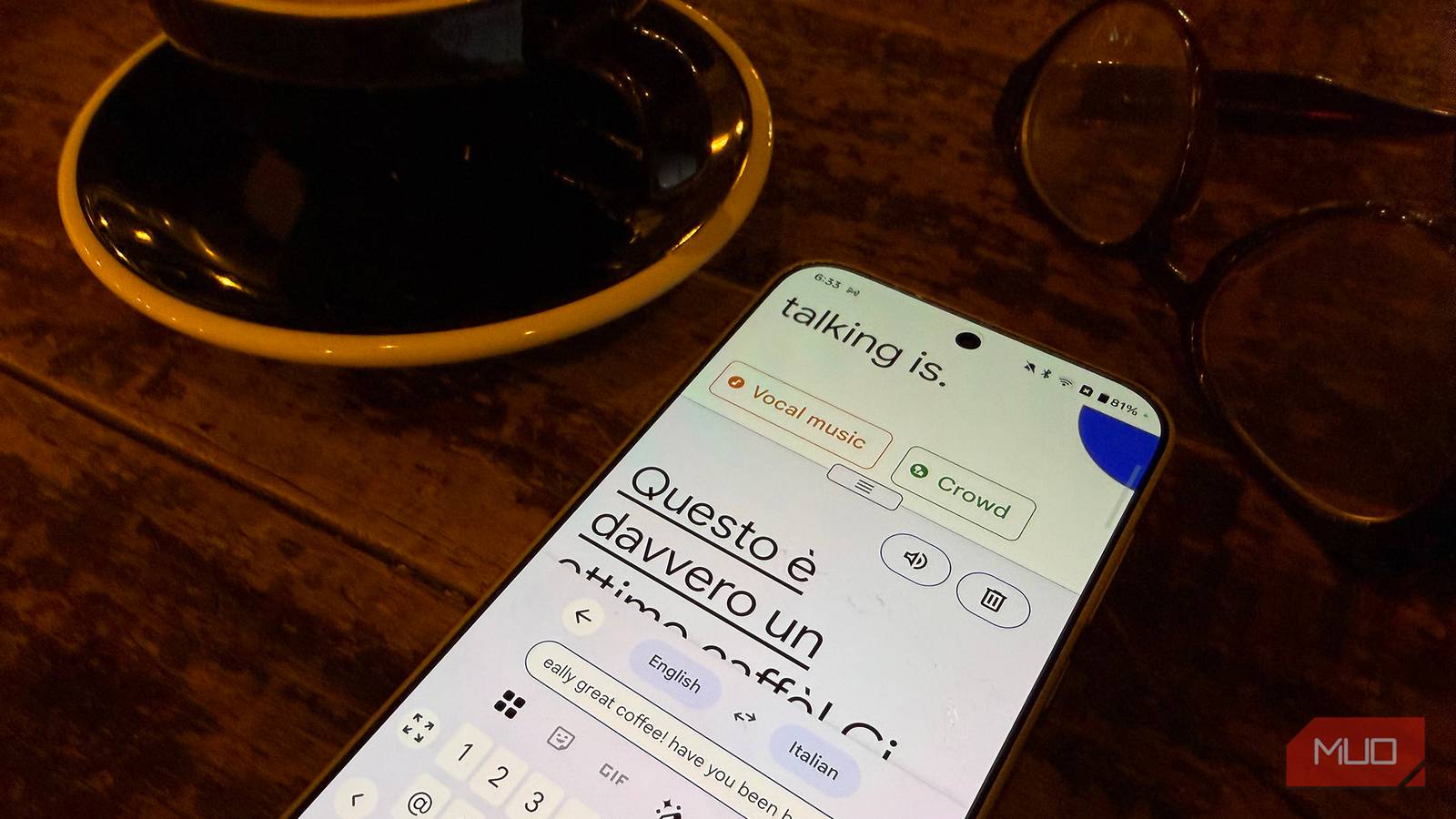
Speak into the mic or type to translate From orders to directionsWhether you want to ask the waiter for the soup of the day or a passerby where the closest bathroom is, not being able to speak the local language can be awkward. You can avoid this by opening the Translate app on your phone, like Translate for iPhone, Google Translate for Android, or Live Translation with Samsung Galaxy, one of the best features with Galaxy AI. Make sure it's set to translate from your native language to whatever language you need. Tap the microphone icon and speak the question or type it into the field, then show the person your phone for the translation or let them hear it. They can then respond with a nod, thumbs up, thumbs down, or another universal gesture. You can also reverse the translation and hold the phone to them to speak the reply.
I used this at a restaurant in Spain when the waiter didn't speak English. There was a meat dish on the menu, but I wasn't sure if it was steak or another type of protein. The quickest method was to type "steak?" in the translate app, which I left open on my phone. He was able to reply to confirm that no, it was pork. I used it again to verify if there were peanuts in the dessert I ordered (I have a non-serious allergy), and it turns out there were. This app saved me a lot of discomfort. It's a great way to study up on a foreign language as well, before you go on a trip. Type in a few key words and phrases every day to keep them in memory. A tip: download a language pack so you can translate offline as well. It will take up storage on your device, but you can always delete it when you return home.
Have two-way conversations Go with the flow Credit: Samsung
You can even have full two-way conversations in different languages using many of the latest smartphones and the best online translators like Google Translate. Compatible Samsung Galaxy devices have a feature called Live Translate that automatically translates voice calls, face-to-face conversations, and text messages. The Interpreter app, meanwhile, divides the screen so you can see the translated statements on the bottom half while the other person sees your replies, translated to their native language, on the top. (It works wonderfully with dual-screen Samsung phones in the Galaxy Flip and Fold series). As you speak after tapping the microphone, the app will automatically translate it in real-time, dictating the message audibly as well as displaying the text on screen. The other person does the same, and voila!
Apple also has Translate for compatible iPhones, which works much the same way. You can even set translations to appear in messages on your Apple Watch and listen to Live Translation through compatible AirPods. Google Pixel phones offer Live Translate, which can translate both text and speech within apps, messages, and live calls.
I haven't used this feature yet in my practical daily life beyond quick tests, but I can see how useful it could be. I did use a portable translator device in Italy a few years ago when spending a day in Castel Gandolfo, where it's less likely to find people who speak English. My son was able to ask a woman at a small café for an iced tea, and she nodded approvingly. Being able to do this with your phone without having to bring along a separate device is tremendously valuable.
Google Lens is like magic Menus, signs, and moreGoogle Lens makes life easier on Android, but it's also a wonderful tool you can access on virtually any smartphone. And it can do a lot more than you think. Open Google Translate, then select the Camera icon to open Google Lens. Set the source and destination languages, then hover the camera over something like a menu, poster, or street sign. As you hold it, the translated text will show up like magic.
I have used this feature countless times. In Italy, when dining at restaurants that didn't offer menus with English translations (these are always the best restaurants where locals go!), I could hover over it to see what each item was before ordering something that was not what I wanted. In Japan, I used it to read the descriptions of souvenir trinkets I purchased from a temple for friends and family members. One was for headaches, another for good fortune, and so on. When my best friend gifted me a lovely ornament after her trip to Poland, I used Google Lens to read the inscription, which was a lovely surprise sentiment.
The feature can come in handy to interpret street and road signs (passengers or pedestrians only!), posters or flyers, even for kids who want to read anime comics but don't know Japanese. While shopping in countries like Japan, Spain, and Italy, I used it to read writing on things like apparel or items in stores. Are those rice crackers or cookies? Google Lens can tell me.
There's less anxiety about traveling to a country if you don't know the native language, thanks to technology. While it might not always get everything right, especially with accents, nuances in conversations, distraction from ambient noise, and lesser-known terms or words that can be interpreted multiple ways, it helps get a sentiment across. Translation apps built into phones are not just for quick phrases, questions, or word translations, though they excel in these instances, eliminating the need to download third-party apps. But you can also use translation apps to participate in a job interview, converse with potential clients overseas, or even go on a date. The possibilities are endless!