
Remember me

You've probably felt the frustration of your Android phone's speakers not being loud enough. You crank the volume to the max, but they still sound disappointingly quiet. It doesn't matter if you're trying to watch a video, listen to music with friends, or take a video call; the hardware just seems to let you down. There are free apps that can make your cheap speakers sound dramatically better, but volume is a different game.
But your phone's speaker is actually capable of producing more sound. When you crank the volume slider to the max, Android doesn't necessarily max out your speaker. It's being held back by a hidden setting most people don't even know exists.
Your phone is quietly capping its own volume Yadullah Abidi / MakeUseOfCredit: Yadullah Abidi / MakeUseOf
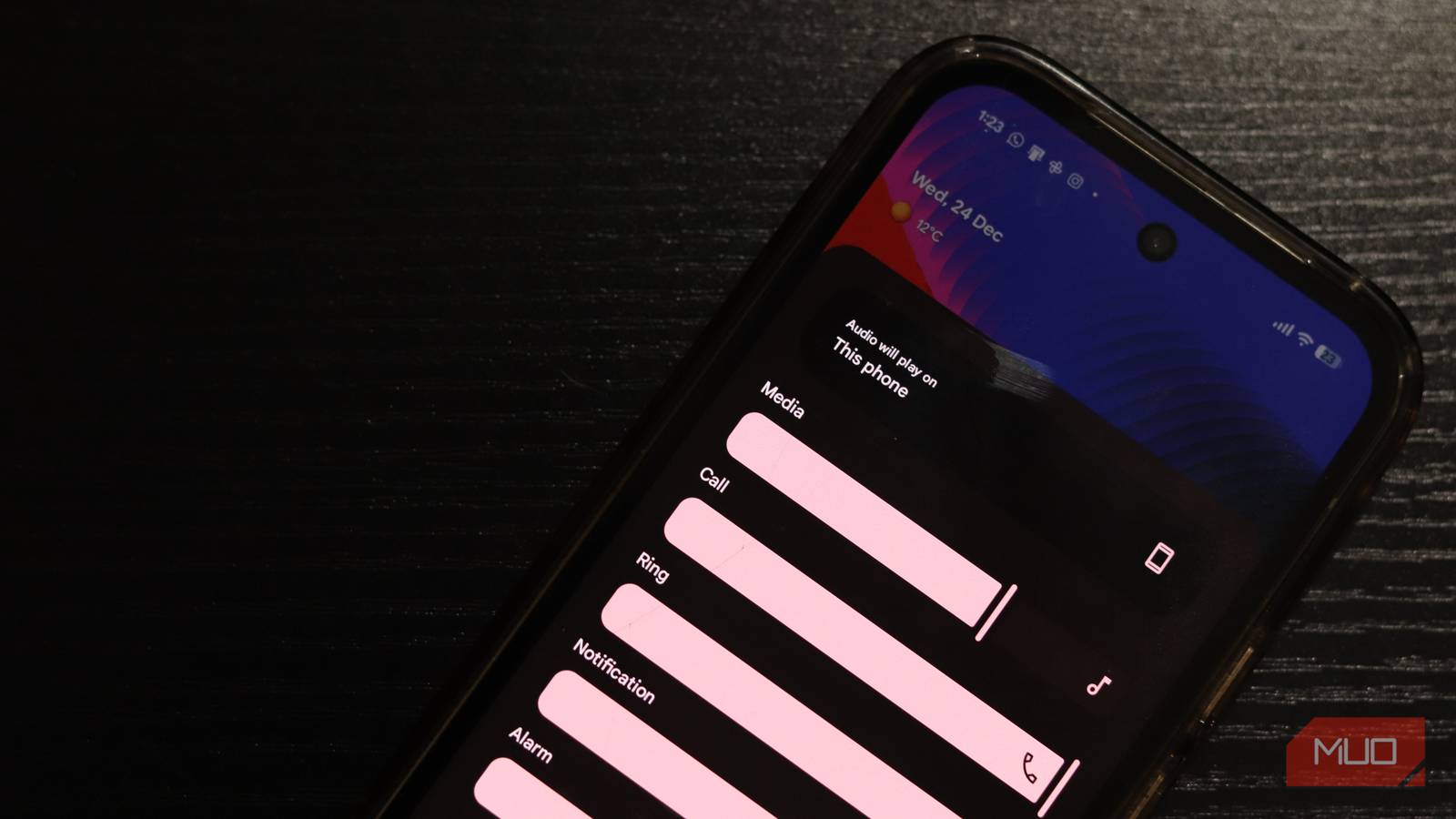
Android phones have a lot of safety protections built in to control the device's overall user experience. These include protections for your speaker that only allow increasing the volume up to a limit determined by the manufacturer. In most cases, this limit isn't necessarily the maximum volume your phone's speaker can produce. Tweaking Spotify settings to bring the volume up is one thing, but if your phone's speaker isn't loud enough in the first place, there's not much you can do.
All speakers have a limit, and if you push them beyond that, the audio starts sounding harsh and crackly. The volume slider on your phone limits the volume right under this ceiling, so you can get the most volume possible without overdriving your speakers and potentially damaging them in the process. However, if you want, there is a way to unlock the rest of your speaker's volume range.
Follow these steps to remove the volume limit enforced by Android:
Open Settings and go to Sounds and vibration. Tap on Volume. Instead of adjusting the sliders, tap the three vertical dots in the top right corner. Select Media volume limit. Toggle the setting On.Once done, you should be able to hear a clear difference in how loud your phone speakers can get. The final result will vary based on the device you have and the manufacturer it comes from. Keep in mind some phones might not have the option to disable the limit altogether. In such cases, you're better off trying third-party apps, although finding one that works can be challenging.
Bluetooth audio plays by different rules Wireless speakers have their own volume controlsIf you're dealing with Bluetooth speakers, a similar feature called Bluetooth Absolute Volume restricts how loud your audio can get. This feature syncs your phone's volume with your Bluetooth device's volume, which sounds convenient, but actually ends up creating a bottleneck more often than not.
When enabled, the feature syncs the volume levels between your phone and speaker, and whichever one is lower becomes your limiting factor. This was originally designed for user convenience, so you don't accidentally blast your ears when switching between devices. But for many people, it's just overkill safety.
The toggle for this setting is hidden in your phone's developer options. Follow these steps to turn this feature off:
Head over to your phone's settings. Tap the About section. Scroll down to find the Build Number and tap it seven times to enable Developer Options. Your phone might ask for your PIN or password to confirm. Once unlocked, head back to settings. You should be able to find the Developer options menu under System settings. Find the Disable absolute volume toggle and enable it. Reconnect your Bluetooth speakers/headphones for the changes to take effect.That's it. Now, when you increase your phone's volume to full, you should be able to go higher still using the volume buttons on your speaker or headphones.
Louder doesn’t always mean better Boost volume without wrecking hardware or hearingWith great volume comes great responsibility. With the safeguards of the Absolute Volume setting removed, nothing is protecting you from the loud sounds that modern headphones and speakers can produce. The sound can definitely get loud enough to damage your hearing with extended exposure. So be careful when cranking up the volume and blasting your ears at 100% for hours.
 Related
TV speakers aren’t good, but this app makes them noticeably better
Related
TV speakers aren’t good, but this app makes them noticeably better
Make your TV speakers better before you get a soundbar or home theater system.
Another consideration should be the health of your speakers. Whether you're pushing your phone speakers, Bluetooth speakers, or headphones, the audio drivers inside are only rated to work at a certain capacity and volume. If you push them too hard for too long, they can break or stop working, not to mention the distorted sound that you'll hear once there's too much power going to the audio drivers. This might not be a big problem on that cheap Bluetooth speaker you've got lying around, but it can be a really expensive repair on your phone.
There's more volume in your speakersThis method works because it removes an artificial limiter that Android installed for safety and convenience. It only takes a few taps to remove these limits, and some tweaks with an equalizer can get you a far better audio experience than what your phone has to offer. Your speakers will sound more powerful, louder, and, with the right tweaks, clearer.
The best part? It costs nothing and barely takes a few minutes. This will also work on just about any Android phone running a recent version of Android. The setting might be called something else or located in a different place, but chances are it'll be buried within some setting menu you never bothered to open.
Try it. I'm willing to bet you'll be doing this on every Android device you own from now on.
Comments (0)