
Remember me
Vibe coding and AI-assisted software development are officially mainstream. It's not just novice developers that are using AI to build software these days, because Spotify confirmed in early 2026 that its best developers hadn't written a single line of code in months. That small anecdote shows that even the pros realize AI is incredible for software development. If it's good enough for them, it's good enough for you. Even with zero coding experience, you can start building Android apps using AI right now.
I know you can easily create working Android APKs that can be installed on your devices because I've been doing it for months. My background is in journalism, not software development or computer science, so I was flying blind the first time I tried to build an Android app using AI. Although expensive software tools like Claude Code are all the rave today, they're certainly not necessary. The free Google Antigravity app is all you need to make the Android app you've always wanted, without any subscriptions or paid tokens.
 Related
I've vibe coded 7 working apps — I wish I knew these 3 things when I started
Related
I've vibe coded 7 working apps — I wish I knew these 3 things when I started
As I've vibe coded and re-coded 7 working projects over the past 3 months, there's three golden rules that I've developed.
I built an app with Antigravity, and I've used it for months Nearly six months later, the Android app I made with Antigravity still worksI first tried Google Antigravity, an AI-infused integrated development environment (IDE), shortly after its release in December of last year. I ended up successfully building an app called Vinyl Spin Tracker, and I used Antigravity to compile the app as an Android Package Kit (APK). With the APK, I downloaded the newly minted Vinyl Spin Tracker app on my Galaxy S25 Edge. While I had created web apps using AI vibe coding tools before, Antigravity was the first tool to hand me a ready-to-use APK. However, creating and installing the app was only the start.
To my surprise, roughly six months later, the Vinyl Spin Tracker is still up and running on my Galaxy S25 Edge. I've used it religiously during that span, and haven't encountered any issues or bugs. The fear about vibe coding is that the final output might stop working eventually due to flaws in the app — data could stop saving to the app's memory and external API integrations may disconnect. No one wants to spend time building an app with AI only to have it break unexpectedly later, leaving creators with little development puzzled as to what went wrong.
That's what is so promising about my experience with Google Antigravity. The app's first try at creating an Android APK worked flawlessly, and I only requested minor tweaks to the user interface and feature set. Specifically, Vinyl Spin Tracker is supposed to help me track the amount of times I've played each record in my collection. It uses the public Discogs API to pull the album titles, artist names, and artwork for each vinyl release in my collection and display them in the app. Then, I can add a tally for each time I play a specific release, and it creates a leaderboard available as an Android home screen widget or exportable as a spreadsheet.
The app was a resounding success — Antigravity helped me build something that not only didn't exist on the Play Store yet, but also personalized it to my specific Discogs collection. It used external APIs and Android frameworks to offer exactly the features I wanted in the APK, and six months later, it's all still working. If there's an app you wish existed, the free version of Antigravity is all you need to make it.
How you can build Android apps with Antigravity's free tier The free version has rate limits, so you need to make the most of every promptAnyone can download the Google Antigravity app for Mac, Linux, or Windows 11 for free. There is a catch — there are different rate limits for free and paid users. People who subscribe to Google AI Pro or Google AI Ultra receive expanded rate limits, unlimited tab completions, and unlimited command requests. However, paying for Antigravity is not required. Free users can complete basic app development projects without running into a rate limit, and the limits reset each week. So, if you're willing to keep requests basic or wait for Antigravity rate limits to refresh, you can absolutely get by with the free version.
The key to successfully using Antigravity on the free tier is to treat every prompt like it's your last. Try to create a thorough prompt that tells Antigravity exactly what you're looking for from your new app. This will help you get better results on the first try, so you don't run into the rate limits quickly. The easiest way to do this is by meta prompting. Open a regular Gemini chat and describe the app you want to build with Antigravity. Then, ask Gemini to form an LLM-optimized prompt tailored to meet the app requirements you've outlined. Feed that Gemini-created prompt into Antigravity, and you have a better chance of getting the app you want without being slowed down by rate limits.
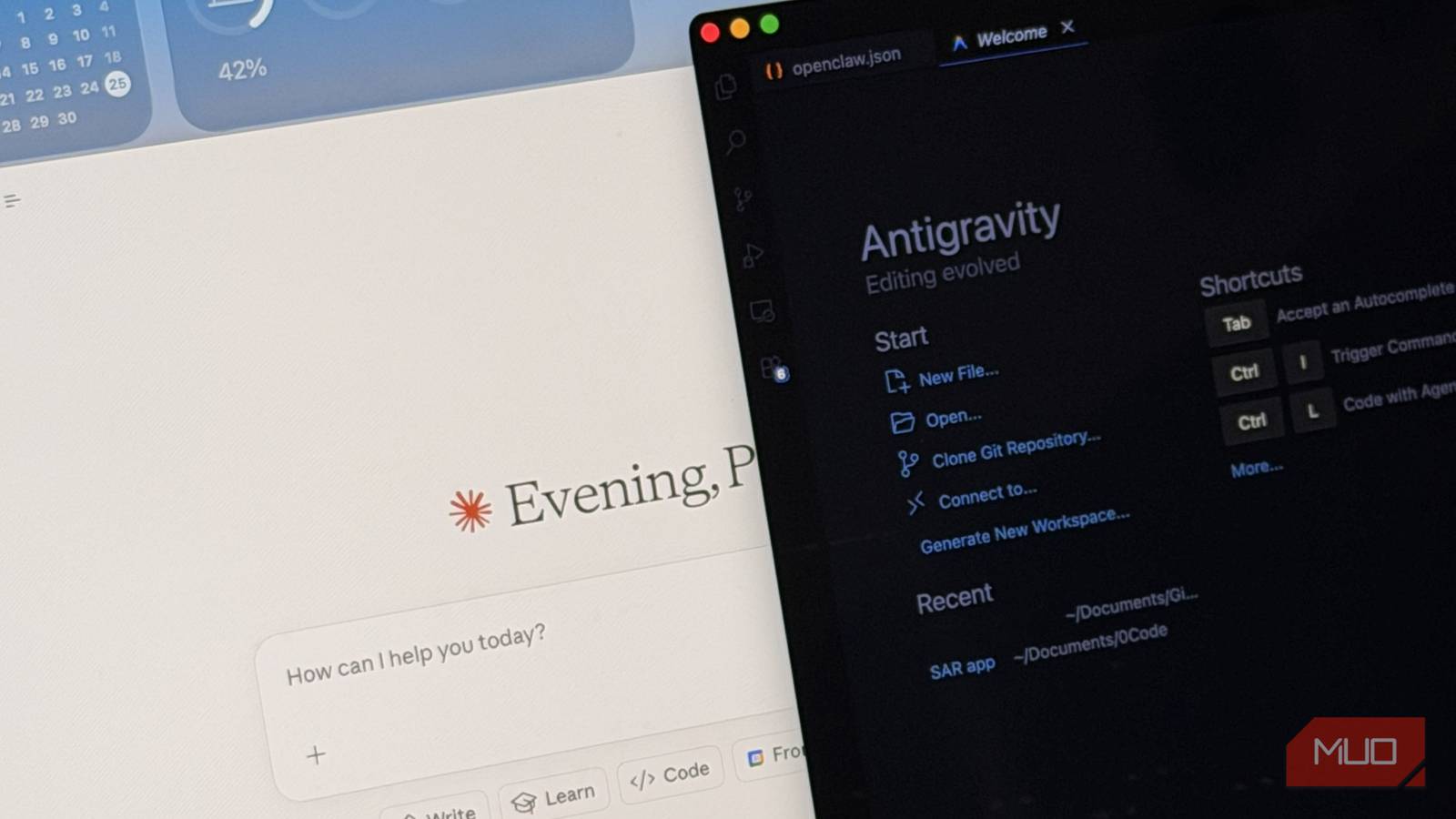
Of course, before you start coding with Antigravity, you need to know how it works. Luckily, Google's onboarding process for Antigravity is superb. You'll start by picking a theme for the IDE and selecting a mode for the Antigravity Agent — this is the AI-powered agent that will build your app. Choose between agent-driven development, agent-assisted development, review-driven development, or custom configuration. If you're anything like me, you should pick agent-driven development. This mode assumes you know little to nothing about code and lets the Antigravity Agent take the reins while it creates the app you want to make.
You can similarly skip the advanced IDE features designed for experienced coders, such as key bindings, extensions, and command line tools. Instead, you want to open the Agent Manager and jump into a new chat in the Playground. This is a simple and speedy AI coding environment that includes a natural-language chatbot. After you've used meta prompting to generate an Antigravity prompt, paste the prompt into the Agent Manager's Playground chatbot. Press the Enter key, and stand by while Antigravity assembles implementation plans, creates app walkthroughs, and the steps needed to create the app.
The brains behind Antigravity is the Gemini 3 Pro model, which is one of Google's best thinking models. It understands the code that goes into making an Android app, the purpose and functionality behind the app, and how to overcome any limitations or roadblocks. Using the text editor, you don't have to play around with lines of code or even approve changes. The Antigravity Agent takes care of everything, handing you an installable Android APK when it's finished.
I'd rather use Antigravity than pay for Claude Code I'll deal with rate limits in exchange for a completely free experience
Claude Code gets all the attention, and for good reason. It's an incredibly powerful AI coding tool — in fact, Claude Code is what those Spotify developers were using instead of manually writing lines of code. The problem is the price. If you want to use Claude Code, the cheapest plan that includes it is Claude Pro, which costs $20 per month. The Claude Max 5x and Claude Max 20x tiers offer higher rate limits and multiply the capacity of a Claude Pro subscription, but they cost $100 and $200 monthly, respectively. For beginners looking to try a fun Android vibe coding project, that's too expensive.
Instead, give Google Antigravity a shot. It's free, requires zero coding experience, and is capable of building seamless Android apps using AI agents. Plus, if you decide you need more than the free Antigravity tier offers, you can always upgrade to Google AI Pro or Google AI Ultra. If I only had to pick one, I'd choose free Antigravity over paid Claude Code to save money.