
Remember me
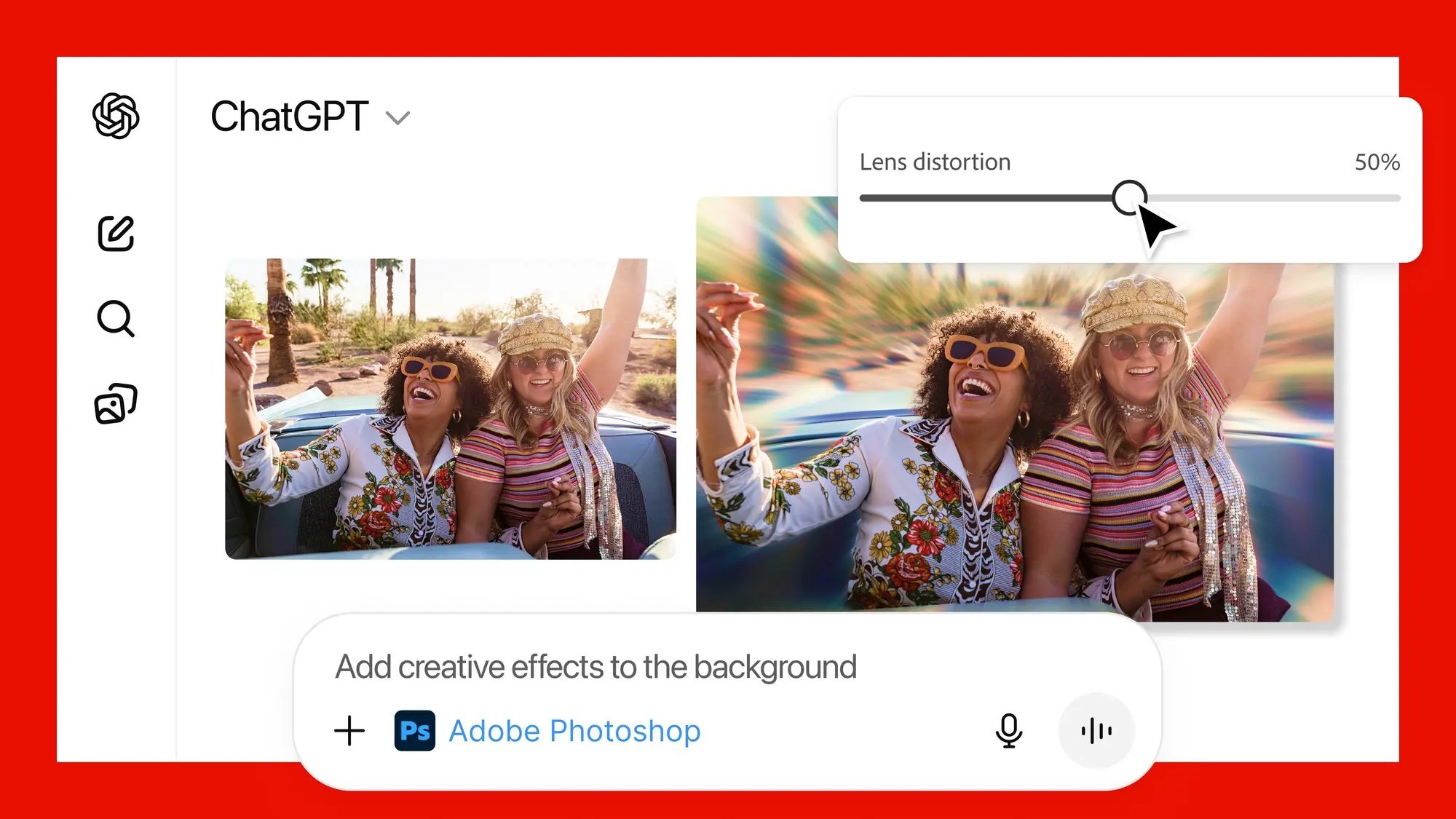


If you have been watching the rapid rise of creative AI tools, this week marks a turning point. Adobe introduced Photosho and, Adobe Express inside ChatGPT, giving you the ability to create images, redesign graphics or refine documents simply by asking for it in natural language.
For many creators, this is the first time Adobe’s most familiar tools sit inside a conversational interface, which makes the barrier to entry much lower. You can ask ChatGPT to adjust the brightness of a photo or generate a design idea, and Adobe’s technology handles the work behind the scenes. It is a significant moment for anyone interested in how AI is reshaping creative workflows, and it gives you more freedom to experiment with tools you might not have used before.
Adobe says this experience is built around agentic AI and the Model Context Protocol, which allows apps to act inside a chat environment. It is a technical foundation that enables Photoshop or Acrobat to step in instantly when you ask for them.
For creators, this means the next step in a project feels smoother. You no longer need to stop what you are doing, load a separate app or think about menus. Instead, Adobe’s features respond to your instructions and guide you through the process.
Adobe Photoshop in ChatGPT: Visual Editing Through ConversationPhotoshop remains Adobe’s flagship tool for image manipulation, and its arrival inside ChatGPT makes advanced editing feel more conversational. You can ask Photoshop to blur a background, brighten a face, clean up shadows or remove distractions in an image. It guides you through each action step by step, while preserving image quality just as it does inside the desktop version.
One of the biggest changes is that you do not need prior experience with Photoshop to get useful results. If you are new to photo editing, this can help you build confidence. If you already work in photography or content creation, you gain a shortcut for quick touch ups. You can still take full control with sliders for exposure, contrast or brightness, which appear directly in the chat. The process feels less like traditional software and more like asking an assistant to make precise adjustments while you focus on creative direction.
Photoshop in ChatGPT also supports creative effects such as Glow or Glitch, which you can apply by describing the look you want. You can move from the chat environment to the full Photoshop app at any time, so nothing you create is locked into one workflow.
 Adobe Express in ChatGPT: Quick Designs for Every Project
Adobe Express is known for its templates, simple layout tools, and fast design process. Bringing it into ChatGPT makes it even more accessible. You can ask for an invitation design, a social media graphic or a simple logo idea and Express will respond with options you can customize in chat. For many users, this is the easiest path to create a polished visual without switching between apps.
Inside ChatGPT, you can fill in text, replace images, and animate designs. You can also browse the Express library to choose a starting point that matches your project. This can help you generate quick graphics for events, businesses or social content when you do not want to open a full editing suite.
If you create content regularly, this also helps streamline quick tasks. You might want a thumbnail for a video or a graphic for an upcoming post. Instead of building it from scratch, you can describe what you need and refine it until it matches your style.
Adobe Express for ChatGPT is available on desktop, web, iOS and Android, which means you can work on designs anywhere. You can move the project into the native app for more precision if you want a deeper editing session.
Comments (0)