
Remember me
I don't often change the watch face on my Apple Watch for one simple reason: it's a huge pain. Adjusting complications, customizing colors, and moving things to just the right position on a screen that measures only 1.5–1.7" is cumbersome. If it were easier, I'd probably change my watch face more often, perhaps to complement what I'm wearing or to have info and functions that I need for that day.
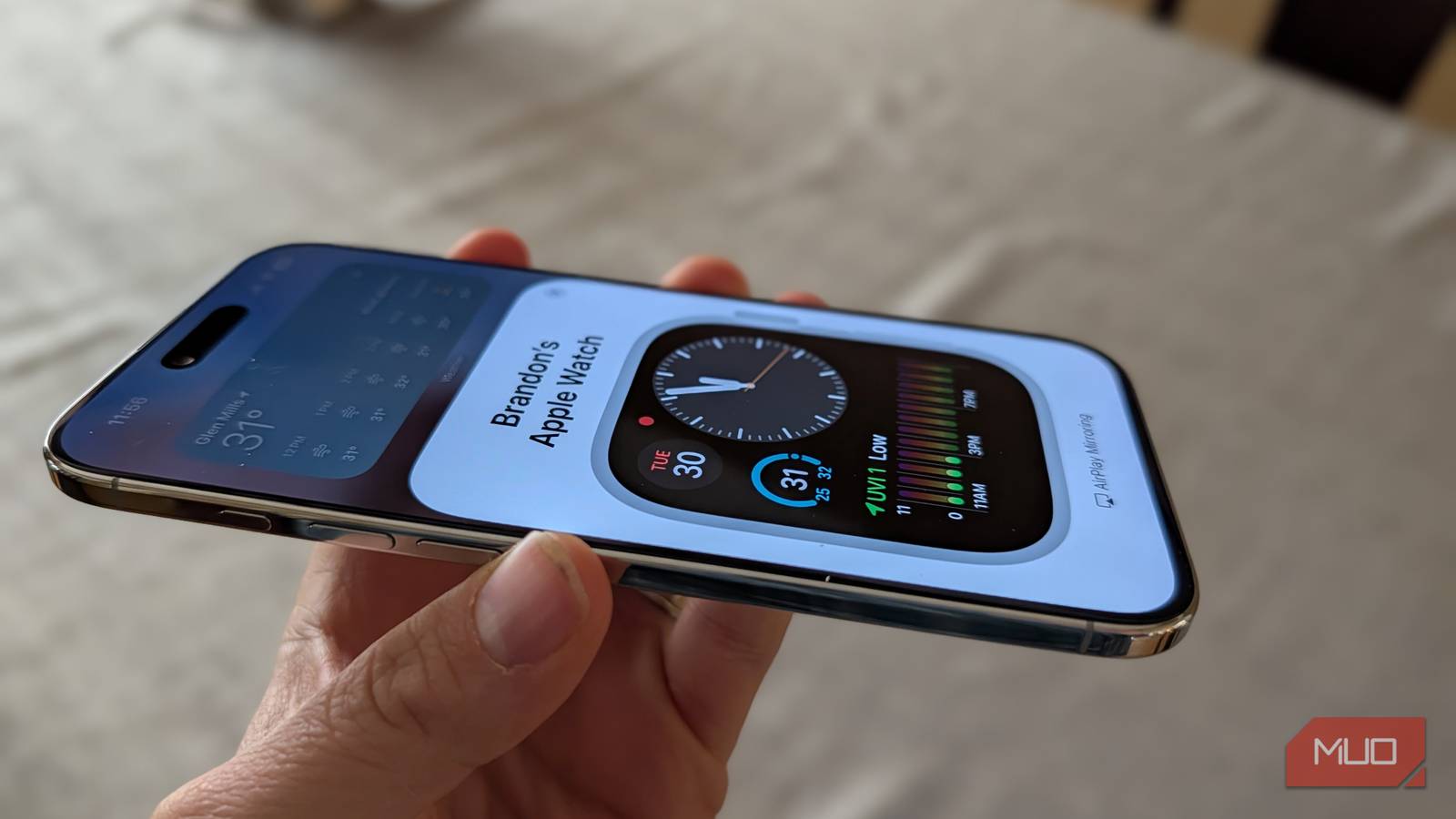
But there's a super-easy way to customize your Apple Watch face that most people ignore. It comes from a relatively hidden accessibility feature in iOS that lets you mirror your Apple Watch on your iPhone in real time, blowing up the screen significantly and making it infinitely easier to customize your watch. I'll show you how to access this feature easily.
Apple Watch Mirroring setupThere are two ways to trigger Apple Watch mirroring, both of which involve invoking an accessibility shortcut.
To make this work, you just need an iPhone running iOS 16 or later and an Apple Watch with watchOS 9 or later.
Step 1: Set up the accessibility shortcut. Go to Settings>Accessibility>Scroll down to Accessibility Shortcut>Check Apple Watch Mirroring.
Step 2: Pick your invocation method. By default, you can bring up Apple Watch mirroring by triple-pressing the Power button. You can also set up Back Tap (where you tap the back of your phone twice) by going to Settings -> Accessibility -> Touch -> Back Tap -> Select Accessibility Shortcut.
What it can do Ultimate control to customize your watch faces Credit: Brandon Miniman / MakeUseOf
Using Apple Watch mirroring on your iPhone gives you a much bigger canvas with which you can customize your watch faces. This is by far the biggest advantage of using this feature.
 Credit: Brandon Miniman / MakeUseOf
Small touch targets become big touch targets when you mirror your Apple Watch to your iPhone's display. Also, it's real-time, you can see every change you make as you make it, making for a delightful watch face editing experience. Interestingly, you can even use the hardware buttons remotely. In Apple Watch mirroring, you can "spin" the digital crown or press the side button just as if you were using the watch.
Other use cases for Apple Watch Mirroring Access health sensors, do a screen recording, and moreThere are numerous other reasons you'd want to have remote control over your Apple Watch. Let's explore some:
Access health sensors remotely. The Apple Watch can track your blood oxygen saturation, heart rate, and EKG data, sleep quality, and more. In the future, you'll be able to see your blood sugar and blood pressure from Apple Watch if the rumors of future hardware pan out. Using Apple Watch mirroring lets you see real-time health data without having to touch your watch, which can interfere with measurements. Use Apple Watch-only apps. Apps like Walkie-Talkie, Noise, Depth, Siren, Vitals, and Compass are exclusive to the Apple Watch. With mirroring, you can use these apps remotely from your iPhone. There are also a handful of third-party apps that are exclusive to Apple Watch that you might want to use remotely, such as Nano for Reddit, MiniWiki, and others. Screen recording. The Apple Watch doesn't have a screen recorder. With mirroring, you can make demos and walkthroughs of Apple Watch apps if you're a developer or just want to teach Grandma how to do something. Workout dashboard. The complications on Apple Watch do a great job at tracking your vitals and workout progress when doing activities. But the screen is small. Using Apple Watch mirroring, you can prop up your iPhone on a treadmill or other workout equipment and have a large "dashboard" of your data while you work out. Easily reorganize apps. If you like to keep your Apple Watch apps in grid view, it can be impossible to rearrange icons on the small display. But with Apple Watch mirroring, you can have a larger canvas with which to organize your app layout. Use your watch even if you're wearing heavy layers of clothing. If you're wearing a thick coat or otherwise can't access your watch because it's under layers of clothing, using your iPhone and Apple Watch mirroring will give you full access to your watch, even if you can't access it. Related
Apple Watch Mirroring is not just for accessibility
Related
Apple Watch Mirroring is not just for accessibility
Yes, the truth is that this feature is for people who have trouble interacting with their Apple Watch due to motor and vision problems. In fact, with mirroring, you can use other accessibility features in tandem with it to go so far as to remotely control your Apple Watch with your voice or your eyes. It's not a bad thing to double or triple the size of your tiny Apple Watch screen, when needed, for those of us who have eyesight that is getting worse with age. But for everyone else, there is a host of creative ways you can use Apple Watch mirroring if you just know how to use it.
Comments (0)