
Remember me






You may have found the key to gaming on desktop Linux, but managing multiple windows has always been a hassle. The traditional overlapping window layouts stack windows on top of each other like a digital game of Jenga. And if you're tired of Alt-Tabbing to find the window you want, perhaps it's time to try a tiling window manager.
Tiling window managers are fundamentally reshaping how power users think about desktop productivity, and for folks like us who spend entire days in front of a screen, the efficiency gains are impossible to ignore. So that's exactly what I did, and now I can't go back to the normal Linux desktop.
Why traditional Linux desktops waste so much space Floating windows, constant resizing, and too much mouse work Yadullah Abidi / MakeUseOfCredit: Yadullah Abidi / MakeUseOf
You know that frustrating dance we all do with floating windows. Open an IDE, a terminal, some documentation, and then spend the next hour shuffling windows around to see what's underneath. Or worse, minimizing and maximizing windows like some sort of digital whack-a-mole game. That's the window paradigm we've all normalized, and honestly, it's absurd when you think about it.
A tiling window manager eliminates this entirely. Every window you open automatically arranges itself on your screen in a mathematically sensible layout. No overlapping, no hidden content, no fussing. Your code editor takes up half the screen, your terminal takes up a quarter, and your documentation fills the remaining space. Everything is visible and accessible without extra work. It's one of the best tools you can use to improve Linux multitasking.
That's where i3wm comes in. It's a free, open-source tiling window manager that strikes a good balance between functionality and usability. It's lightweight, well-documented, and uses vim-style keybindings that felt instantly familiar.
Unlike some minimalist window managers that assume you're willing to dive into source code, i3 has straightforward configuration files and excellent community support on forums and Reddit. The default keybinding scheme follows Vim conventions, but if you don't like them, you edit a single configuration file and rebind everything to your preference.
Getting i3wm running on Linux Mint is surprisingly painless If you can install packages and edit a config, you’re goodI use Linux Mint as my primary Linux OS, and getting i3wm installed and set up is surprisingly straightforward. Just run the following commands consecutively.
sudo apt updateDuring installation, you'll be prompted to choose a display manager. If you're unsure, stick with LightDM (Mint's default). The installation pulls in i3, i3status, and i3lock—everything you need for your window manager to function.
Once installed, log out of your current session. On the login screen, click the session selector, which is usually a small icon near the password field, and choose i3 from the list. Log in with your password, and you're good to go.
You will be asked if you want to generate a configuration file the first time you're using i3. It lets you choose your modifier key, which is how you control most of what the window manager does. I recommend choosing Super (the Windows key on most keyboards) since Alt generally conflicts with many applications.
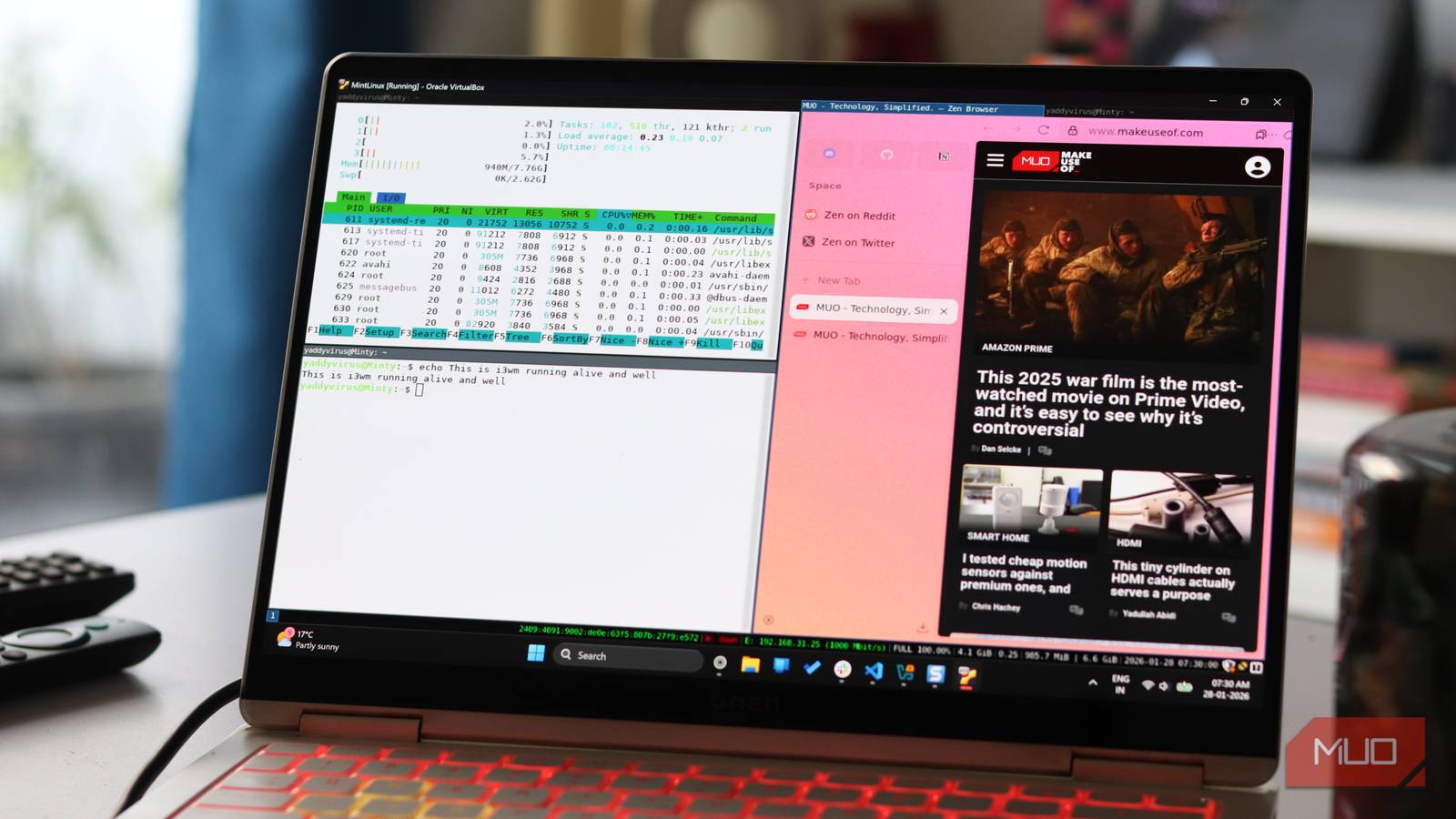
Tiling layouts make every pixel earn its keep No overlap, no clutter, just clean, predictable layouts Screenshot by Yadullah Abidi | No attribution required.
On Cinnamon, my workflow involves jumping through multiple windows as and when needed. With i3wm, every window you open automatically fits itself into the available space. It keeps subdividing as you keep opening new programs. There's no cognitive load spent on arranging windows because every window is always visible.
On my dual-monitor setup, this gets even better. Each monitor gets its own independent tiling layout, and workspaces add another layer of organization. You can set up different workspaces for different tasks like coding, documentation, communication, editing, and so on. Jumping between them takes a single keypress and not hunting through a task switcher.
Speaking of which, once you internalize i3's keybindings, your entire workflow becomes faster because your hands never leave the keyboard. You can focus windows, move them, split containers, and change layouts all without ever needing the mouse. These aren't complicated, and they're not arbitrary. They actually feel logical once you start using them.
 Yadullah Abidi / MakeUseOfCredit: Yadullah Abidi / MakeUseOf
On top of that, you're also likely to see a drop in system resource usage. Linux Mint's Cinnamon environment is comfortable, but it's not lightweight. Cinnamon, the file manager, the system settings, the panel, and more all run simultaneously. By contrast, i3 is embarrassingly minimal.
A typical i3 session consumes somewhere between 150 and 200 MB of RAM at idle on my machine. That might not sound like much on modern systems, but the difference is noticeable on laptops or older hardware. Everything feels snappier, applications launch marginally faster, and the whole system behaves like it's not working hard to keep up with you.
i3wm isn’t perfect and you’ll feel the rough edges Keybindings to remember, quirks to fix, habits to unlearn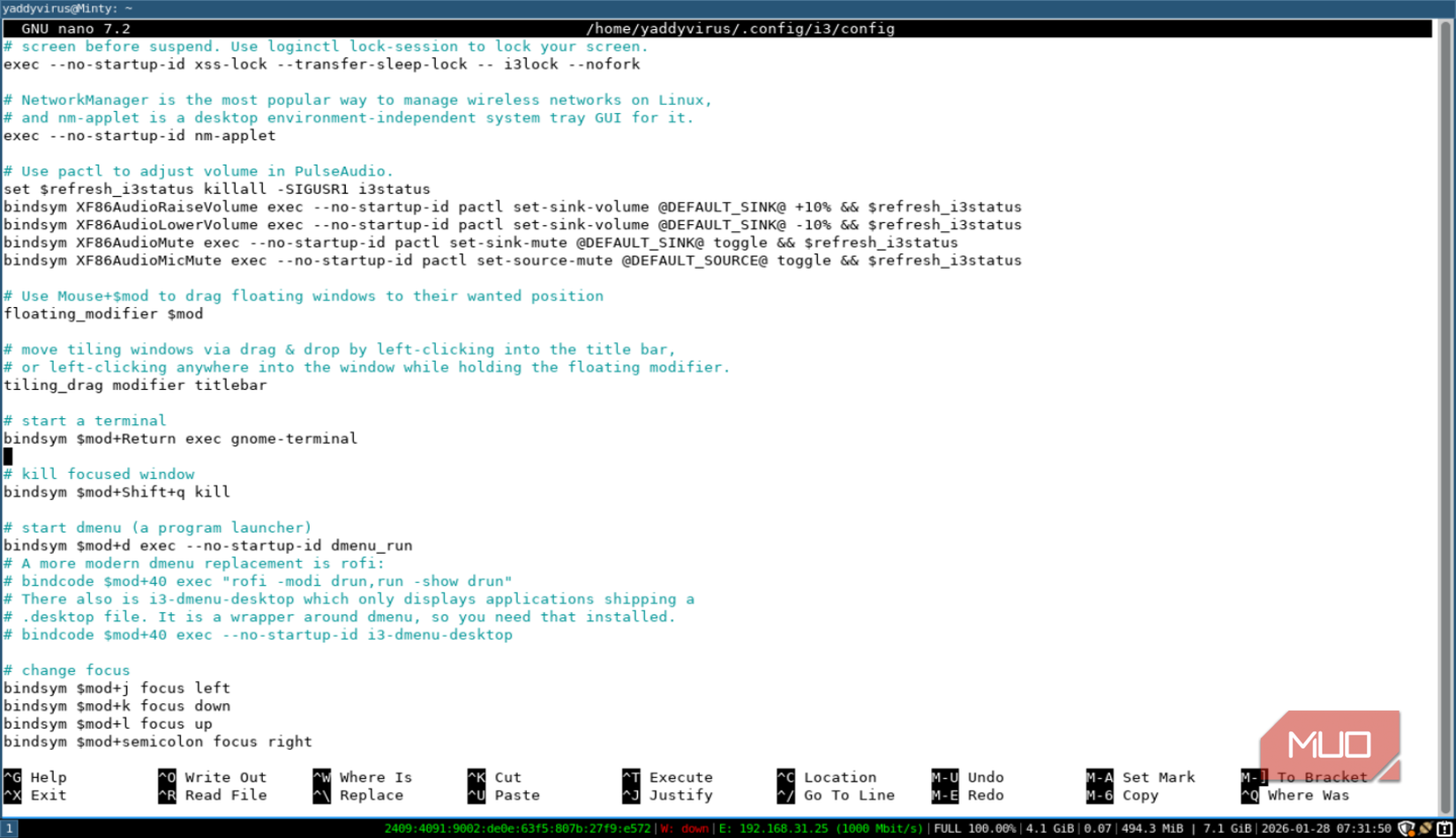 Screenshot by Yadullah Abidi | No attribution required.
As useful as i3 sounds, it's not exactly the most user-friendly window manager to get started with. What you gain in productivity, you lose in graphical interfaces. I'm not going to sugarcoat it: switching from Cinnamon to i3wm involves friction, and you will constantly be referring to the official user guide for the first few weeks.
The documentation is excellent, and the community is helpful, but you can't skip the learning phase. You need to spend time reading the configuration file, understanding how containers work, and building muscle memory.
i3 manages windows using an invisible tree structure that doesn't always match what you see on screen. You might move a window in what seems like a logical direction, and it ends up somewhere unexpected because of how the parent container is configured.
The tree model means that moving a window behaves differently depending on whether its parent container is the root, whether you're in a split, tabbed, or stacked layout, and various other invisible factors. This confused me endlessly in the first few weeks. Once you understand how to flatten your layouts and keep your container structure simple, it's less of a problem. But it's definitely a gotcha that catches just about everyone.
 Yadullah Abidi / MakeUseOfCredit: Yadullah Abidi / MakeUseOf
And then there's i3's biggest strength—its configurability—which also becomes its greatest time sink. You can customize virtually everything: keybindings, colors, fonts, bar behavior, per-monitor layouts, workspace assignments, floating window rules, and more. The problem is that you can spend hours tweaking and never feel like you're done.
Additionally, while installing i3wm on Linux Mint might be simple, i3's philosophy of you configuring everything goes against Mint's philosophy of everything should work. However, if you end up liking i3wm, you can switch to Mint's XFCE edition, which pairs better with i3 because of its keyboard-friendly nature.
Once it clicks, keyboard-driven window management is addictive A few commands later, normal desktops feel painfully slowAfter spending time with i3, I'm not going to claim it's universally better than Cinnamon. It's better for my specific workflow—terminal-heavy, multi-window, keyboard-first. But I also recognize that for casual users who just want to open Firefox and browse the web, it's unnecessary friction. I love the Linux terminal, but I'll still recommend the GUI for anyone who doesn't want to mess with commands or is transitioning from Windows or macOS.
 Related
GlazeWM is a tiny open-source app that manages windows better than Windows does
Related
GlazeWM is a tiny open-source app that manages windows better than Windows does
Transform Windows multitasking with GlazeWM’s fast, keyboard-driven tiling workflow.
The magic of i3 happens when muscle memory kicks in and keyboard navigation stops requiring thought. If you can push through that window, you'll likely find the same thing I did: a desktop environment that gets out of your way and lets you work.
But it requires intentional effort. And that's the real difference between Cinnamon and i3wm, not raw performance or features. Cinnamon rewards you immediately, i3 rewards you later, if you stick with it.