
Remember me

The last Google Calendar alternative I tried was Fantastical, a premium but gorgeous calendar app that makes Google's offering feel ancient. While it has natural language processing, it's not available for Android and isn't as effortless as I expected, as it still takes more manual input than I would've liked.
If you're wondering what kind of app I wanted, Toki is a good example. Toki is an AI calendar app that lets you add events and reminders by sending a text, a screenshot, or using voice notes, and it does all of this exceptionally well.
What's Toki A standalone app built from a clever chatbot Tashreef Shareef / MakeUseOfCredit: Tashreef Shareef / MakeUseOf
Toki might seem like a new app, but it's not entirely new. I first came across it back in 2024 when it was called Dola, a chat-based AI assistant that lived inside messaging apps like WhatsApp, Telegram, and iMessage. You'd add it as a contact and message it to create calendar events. It was clever and worked well, but I never used WhatsApp for work, so it didn't stick with me.
The team eventually rethought the product and turned it into a standalone app called Toki, now available for Android, iOS and the web. Unlike a full calendar replacement, Toki's only job is to make scheduling new appointments as painless as possible.
You can sign up using your Apple, Gmail, Outlook, or a dozen other email accounts. Once connected, your calendars sync with the Toki client. The free version limits you to one account at a time, but that's enough for most people. I've been using it with my primary Google account, and the sync has been flawless so far.
Add events with your voice or textThe biggest annoyance with most calendar apps is the process of adding events. You tap the plus button, fill in the title, scroll to the date, set the time, maybe add a location, and finally hit save. Toki, on the other hand, only need a input, be it a voice, text, or an image, and does the rest by itself.
Open the app, type something like "dentist appointment next Thursday at 3 pm," and it creates the event instantly and doesn't require a specific format or hopping through menus. You can even get more detailed with your inputs. Something like "follow up with Sarah about the project proposal next Tuesday at 10 am at the coffee shop on Main Street" works just fine. If you'd rather not type, tap the record icon and speak. I've rambled through some pretty disorganized reminders, and Toki has done a surprisingly good job of catching the date, time, and place accurately.
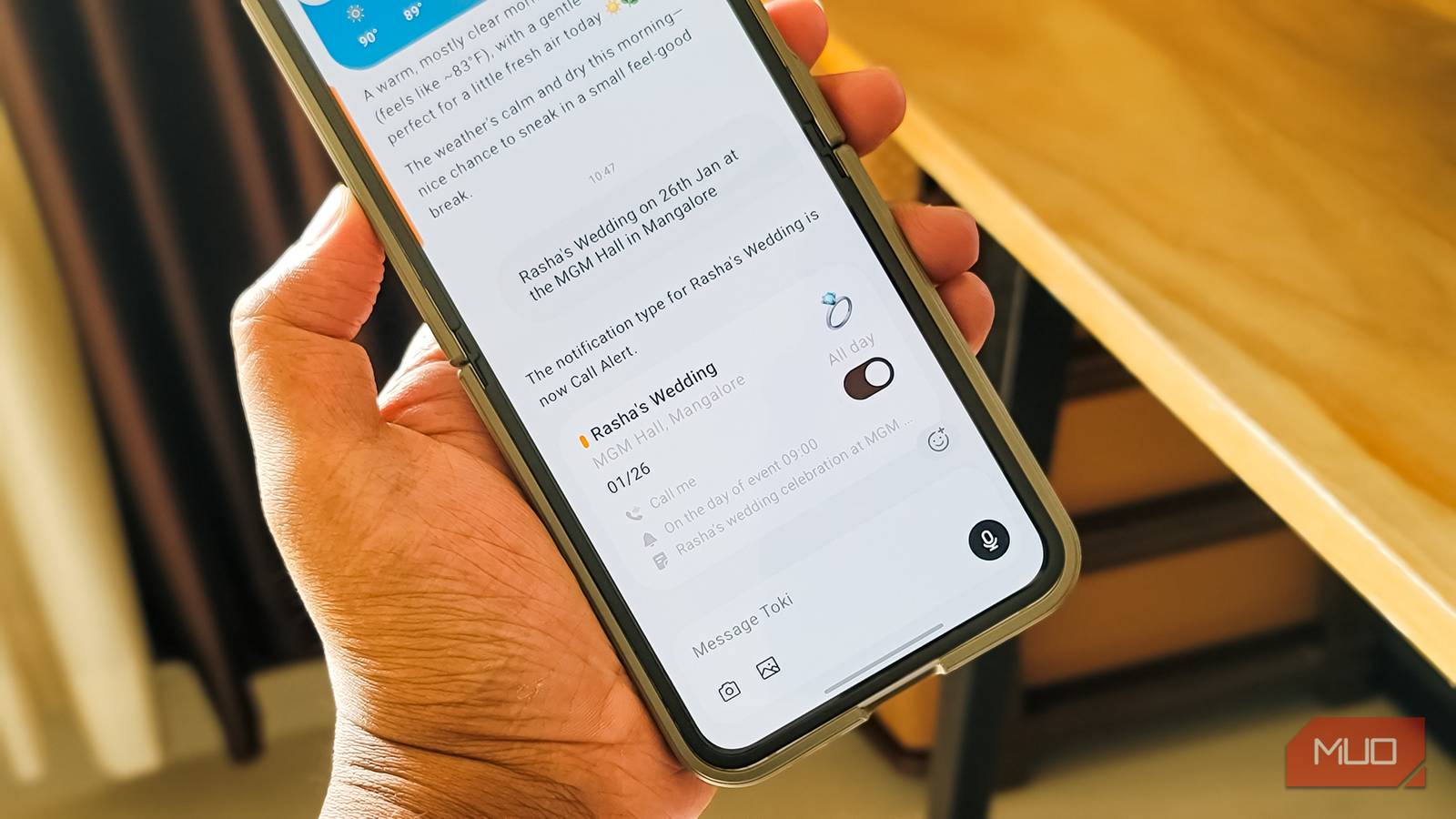
You can also add events manually from the calendar view with a title, location, time, and other details if you prefer the traditional approach. But the real standout feature is Call me that you can turn on while setting up an event or reminder. If enabled, Toki will call your phone at the event time as a reminder. This is incredibly useful when you might miss a notification but would definitely answer a ringing phone.
Then there's Skills, which gives a lot more ideas to use its reminder feature. Skills are essentially pre-built templates for recurring tasks like workout reminders, document renewal alerts, bedtime notifications, or even daily game check-ins. You customize the frequency, time, and duration, and Toki handles the rest. I set up a "Contact Lens Replacement" skill that reminds me monthly, and a study session block that repeats on weekdays. It's a clever way to build habits without manually creating the same event over and over.
There's more Screenshots, weather, and messaging integrations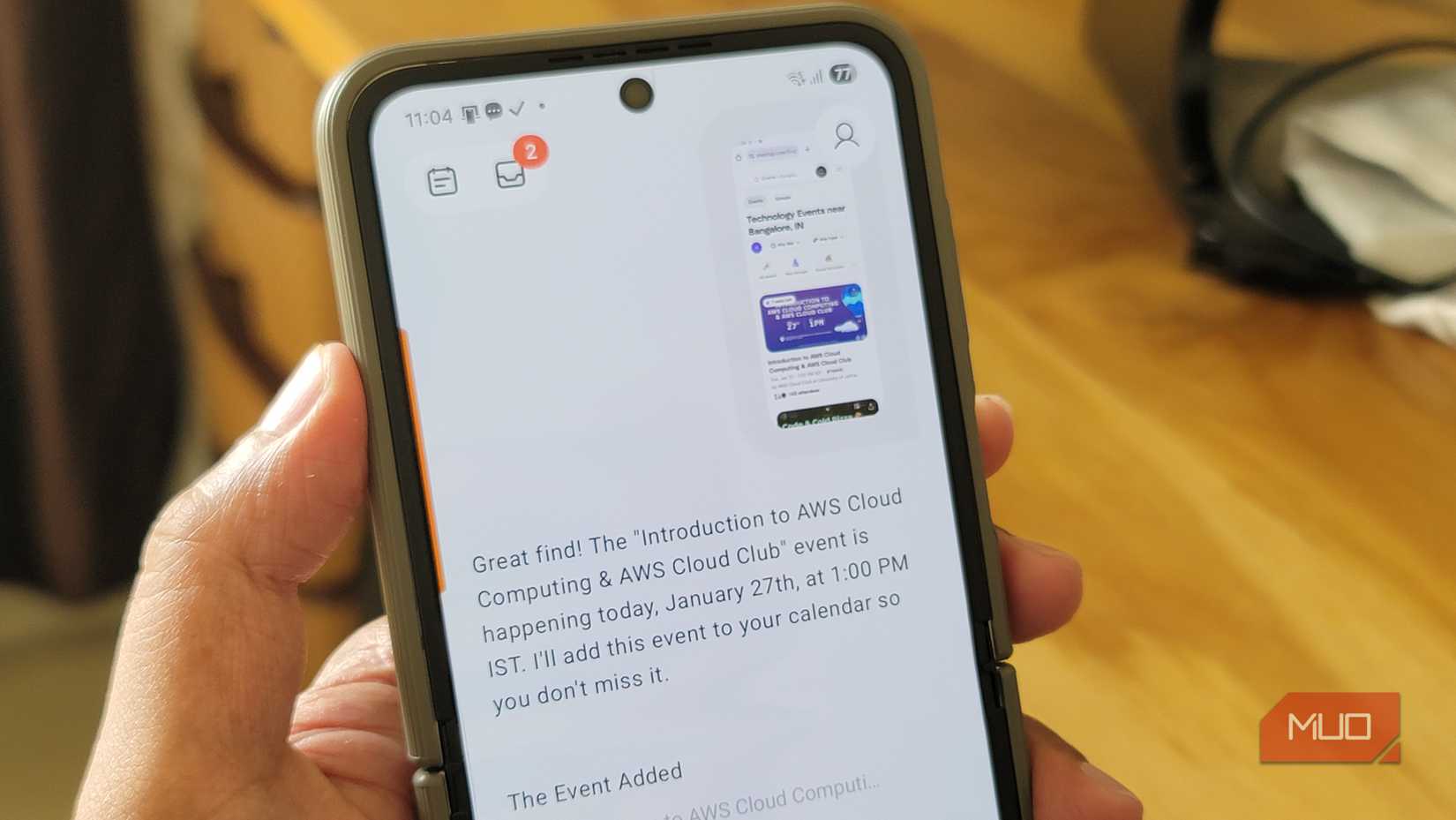 Tashreef Shareef / MakeUseOfCredit: Tashreef Shareef / MakeUseOf
Toki's ability to create events from screenshots is probably the most impressive thing about the app. When I see a wedding invite on WhatsApp, I take a screenshot, share it to Toki, and it extracts the date, time, and venue automatically. The same works for event emails, concert posters, or even a photo of a billboard you spotted while driving. I've tested it with cluttered screenshots full of unrelated text, and it still pulls out the right details. Once it parses the information, you get a confirmation screen where you can tweak anything and assign the event to the correct calendar before saving.
The app also offers smart insights that show daily weather forecasts to help you plan better, plus a weekly recap of your schedule. It's not groundbreaking, but it's a nice touch that makes the app feel more thoughtful than a basic scheduling tool.
If you're someone who prefers a text-based approach to calendar management, you can also schedule events by sending an email to Toki. And if your meetings and events often come through WhatsApp or other instant messaging apps, you can link them to Toki, and it'll automatically add those events to your calendar.
Worth the free tier, better with ProToki's free plan gives you up to 14 event additions per week and support for two calendars. For casual users, that's plenty. I've been using it for a few weeks now, and I haven't hit the limit once. If you need more, the Pro plan runs about $3.59 per month or $36 per year and removes all restrictions.
Toki is not an alternative to Google Calendar or any other calendar app you use, but an add-on that makes getting things into your calendar faster. And it does a damn good job at it.