
Remember me





Whether I wanted to quickly edit a social media video, gaming clip, or screencast, I used to rely on CapCut. At one point, it offered so much for free, including premium transitions, body effects, and AI features. But as more and more features got paywalled, I caved and got the CapCut Pro subscription for a while. However, the final straw came when ByteDance, the owner of CapCut, expanded its terms of service to include some aggressive data collection and use.
With CapCut feeling expensive and unsafe, I figured it was time to look elsewhere. That's when I stumbled upon Kdenlive, an open-source, professional-grade video editor that doesn't restrict how I work or how my data is handled. With no subscriptions, unexpected paywalls, or hidden tracking, I decided to stop paying for CapCut and dive into learning this video editor that actually values creative freedom and privacy.
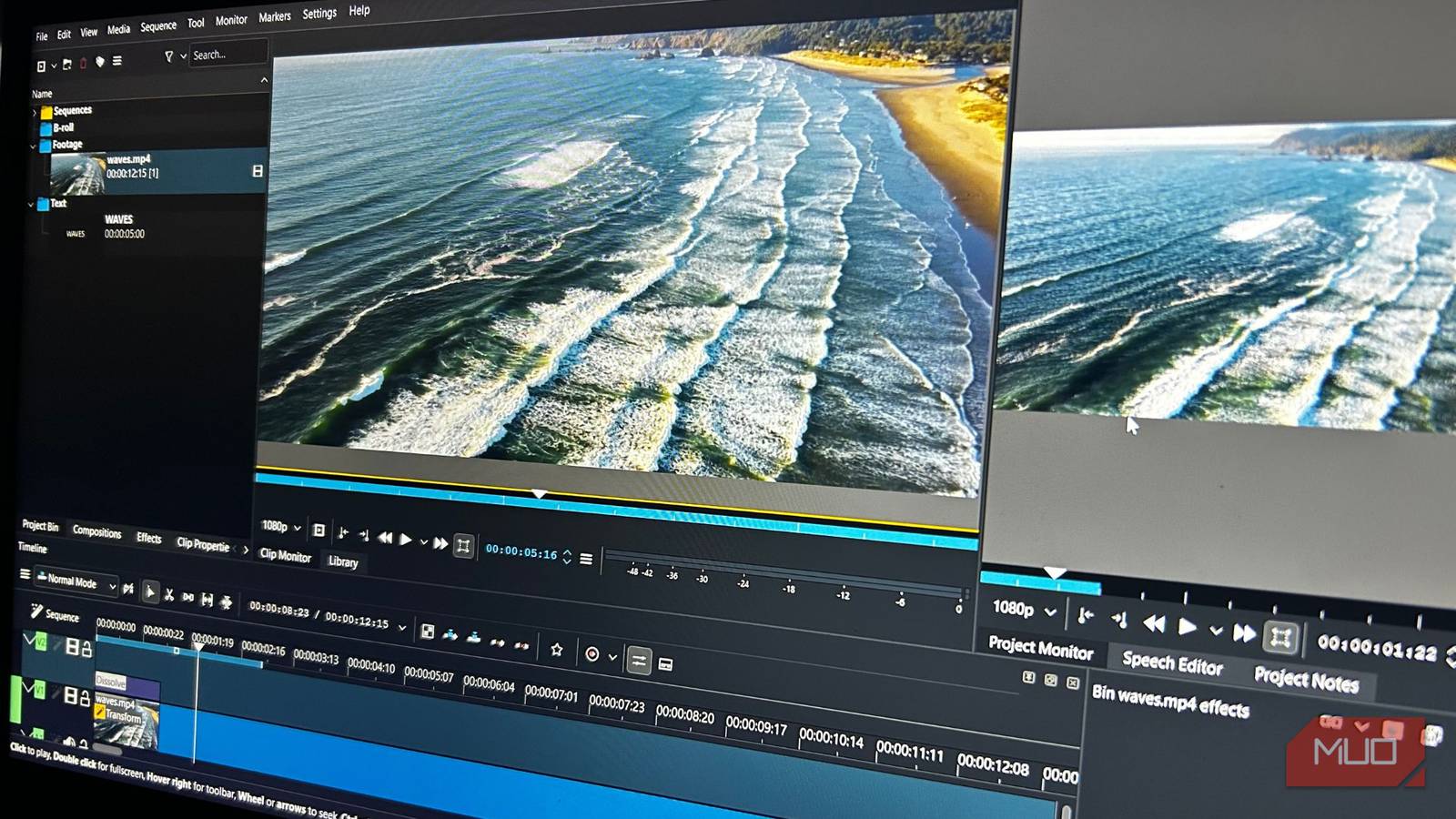
It’s free for anyone to useSubscription lock-in has become the norm these days. The biggest strength of Kdenlive is that it offers professional-level editing without any financial commitment. You get full multi-track editing, advanced keyframing, color correction tools, and a massive library of effects and compositions from the moment you install the desktop app — available for Windows, macOS, and Linux. Everything works from the start without worrying about being surprised by paywalled features.
Furthermore, you can throw any video format at Kdenlive, from TikTok videos to full-on YouTube documentaries, and it will handle them. It replaces the template-heavy workflow of CapCut for total control and creativity. I also love how Kdenlive can replace the original resource-heavy video files with lightweight copies called proxies. This allows you to edit high-resolution videos on mid-range devices, with the final render using the original videos.
 Related
These 7 open-source apps are so good I’d happily pay for them
Related
These 7 open-source apps are so good I’d happily pay for them
Some open-source alternatives aren't just good, they're good enough to be paid for.
You can download dozens of additional effects and compositions from within Kdenlive to expand your editing toolset. They're also available for download on websites like the KDE Store, along with export profiles, emoticons, and entire project files, among other things. Kdenlive supports plugins and community enhancements that enable features such as automated captioning and object tracking via external tools. Essentially, Kdenlive offers enough tools to customize your workflow and make it as efficient as possible through free, community-driven enhancements.
This barely scratches the surface of what Kdenlive does, but it's enough to paint a picture that it's a capable CapCut replacement.
Kdenlive shines over CapCut where it truly matters ByteDance forgot what made CapCut great
After I stopped paying for CapCut, I tried to remain on the free tier by telling myself I could still get by with the basic features it offers. But even then, things that were once free gradually became premium features. At one point, it felt like half of the features worth using in the CapCut editor were paywalled.
Even the mobile app became difficult to use because intrusive ads interrupt editing, and free-tier limitations, such as watermarks, reduce usability. It's quite disheartening because CapCut once democratized video editing before going on this aggressive monetization push.
Kdenlive avoids this thanks to its open-source license. It uses the GPL (GNU General Public License). That means the software and everything in it will remain free to you forever. Kdenlive is also a rapidly evolving video editor, with new features, bug fixes, and improvements focused on users. So, while CapCut is chasing monetization and AI trends, Kdenlive is focused on stability, capability, and, most importantly, freedom.
It gets worse for CapCut — ByteDance expanded its terms of service to include more aggressive data collection and usage, raising privacy concerns for some users. This even applies to paid subscribers. The company can use your creations, including those that contain your voice, face, and likeness, for any purpose, such as ads or training AI, without your permission. Kdenlive stores everything locally, ensuring that only you have access and control over your data.
Kdenlive cannot beat CapCut at everything
To be fair, CapCut has its strengths, and the biggest one is that it's very beginner-friendly. CapCut allows you to easily produce a short video in minutes, especially now that it has AI tools that automatically remove backgrounds, insert smart captions, instantly track faces, and generate entire videos for you. It shines for people who want to create social media videos with speed and ease. CapCut also has thousands of templates, which cover pretty much any idea you can have. Plus, you can work seamlessly across the web, desktop, and mobile.
 Related
Kdenlive, on the other hand, has a learning curve. It's just not a mobile-friendly and intuitive editor like CapCut — it's akin to Adobe Premiere. You definitely need to understand concepts like keyframes, timelines, and manual adjustments to use it effectively. But once you put in the work, you will discover an addictive level of control, precision, and freedom greater than CapCut provides.
Furthermore, there's a large community of creators behind Kdenlive that can assist you. Whether you're trying to create text animations, remove objects, or add special effects, there are plenty of YouTube videos, articles, and forums showing you how to do it multiple ways. It can be overwhelming at first, but you just have to power through the initial learning curve, and everything will become second nature.
There’s a true contender for CapCut in development It’s coming along quite well
If you're not willing to put in the work to learn Kdenlive, that's okay because an open-source CapCut contender called OpenCut is on the way. It aims to freely provide you with all the basic features of CapCut. No subscriptions or intrusive data collection. The project is still in development, but you can try the OpenCut beta for free on the website, or you can self-host it if you want to test it locally.
Once you fire up OpenCut, you'll see that the interface is very similar to CapCut. At the time of writing, the features that are available include timeline-based editing, multi-track editing, real-time previews, and exporting. The effects, filters, and transitions have not been added yet. Also, the developers aim to have OpenCut available on the web, desktop, and mobile, like CapCut.
OpenCut still has a way to go before it can replace CapCut. But from the foundation here, there's a clear goal — a free, open, and privacy-focused alternative with all the essential conveniences and no forced lock-in.
I don't care if CapCut completely becomes a paid appI can no longer follow the direction CapCut is going. With tools like Kdenlive and the upcoming OpenCut, open-source software is proving to be more than a fallback — it's becoming vital to creative independence, which goes far beyond just saving a few bucks every month. Right now, I would rather have control of my tools and data, even if I have to put in more effort, than surrender to whatever CapCut has become.