
Remember me
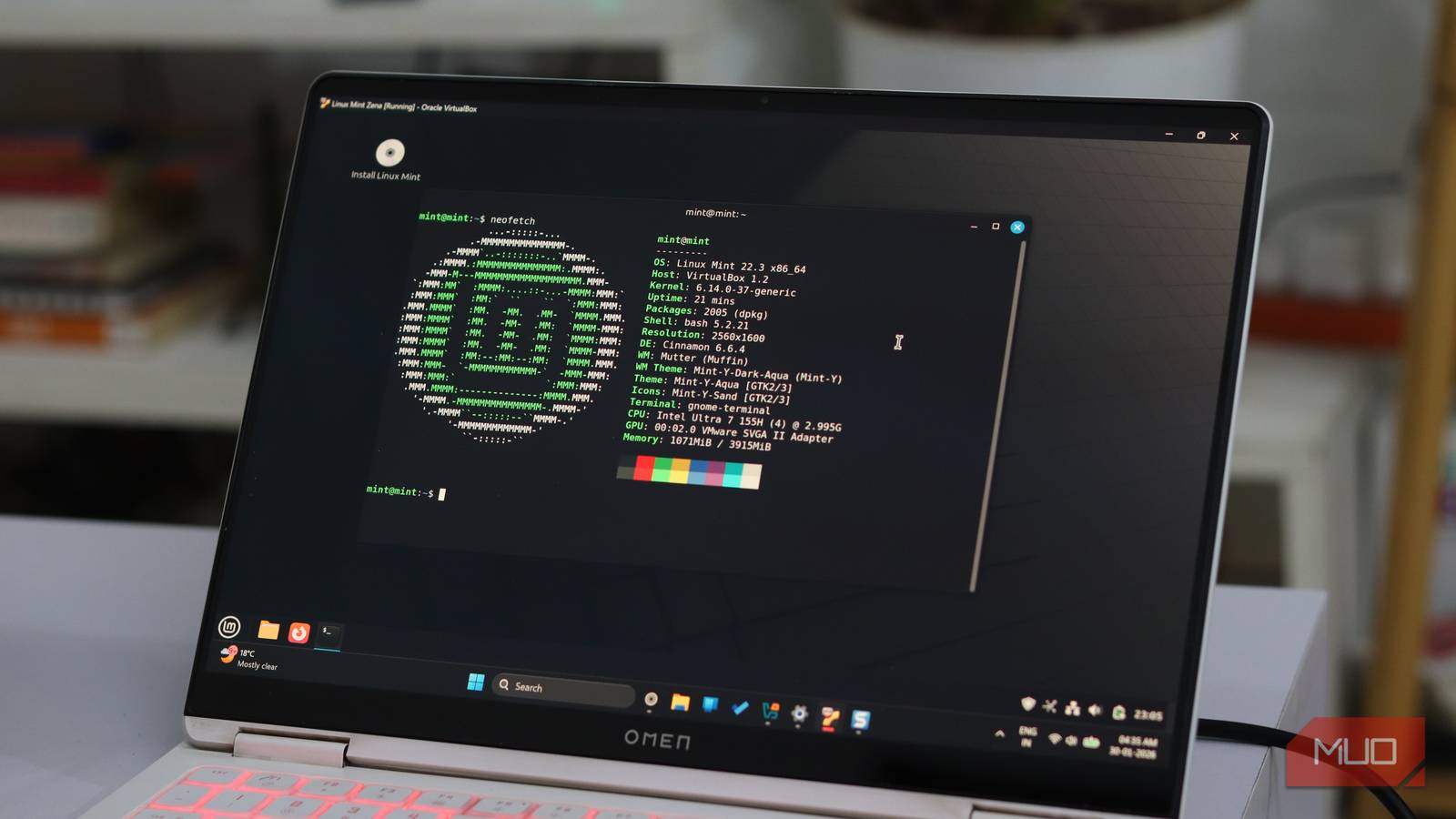
"Just use Linux" isn't helpful advice, but Linux Mint's latest update might change that for many people. Linux Mint 22.3 Zena is on a mission to make the terminal optional, and honestly, they're nailing it.
For years, the biggest barriers to Linux adoption have been the terminal. Over time, Linux distros like Debian and Mint have taken it upon themselves to simplify and create user interfaces that don't force the use of terminals. With Zena, Linux Mint takes that philosophy further than ever.
Small changes, but they remove friction that normal users always hitThe headline feature in Zena is a pair of brand-new system utilities that handle tasks you'd previously need the terminal for.
First up is the revamped System Information tool. It's the Linux Mint equivalent of Windows' Device Manager or third-party tools like CPU-Z. It's not just a cosmetic upgrade of the old System Reports tool either; it now includes dedicated sections for USB devices, GPU information, PCI components, and BIOS details.
This makes troubleshooting hardware issues on Linux much easier. Previously, it meant knowing which terminal commands to run. Now, you can just open the System Information tool and see everything laid out in clean, clickable tabs.
The second new addition is the System Administration tool. It's fairly basic at the moment—lets you configure GRUB boot menu settings through a GUI. This lets you adjust boot timeout, hide the boot menu entirely, or add kernel boot parameters without manually editing /etc/default/grub in a test editor.
For most users, editing GRUB was always a technical challenge, despite the actual simplicity of the task. Now, it's just checkboxes and dropdown menus.
On top of that, the tool is still in development. The boot menu section is just the beginning. If the developers follow the roadmap of distros like MX Linux, we could see features like boot repair, system cleanup, and deeper configuration options all accessible without touching the terminal.
Nemo quietly does more of the heavy lifting Better defaults, smarter actions, and fewer reasons to open a terminal Yadullah Abidi / MakeUseOfCredit: Yadullah Abidi / MakeUseOf
The Nemo file manager, which is already one of the best things about the Cinnamon desktop, has also picked up some useful upgrades in Zena. The big one is regex support for filename searches. This means you can use regular expressions to search for patterns rather than exact file names.
Let's say you have a folder full of screenshots named as "Screenshot-YYYYMMDD" where YYYY is the year, MM is the month, and DD is the date of the screenshot. If you want to find all screenshots between a specific date, for example, January 15 to 19, you can search for:
Screenshot-2026011[5-9]\.pngThat's it. No need to remember specific screenshot names or dates. Yes, you could use the terminal and find or grep for this, but most people who aren't familiar with the terminal won't. They'll either manually scroll or give up. Now the option exists right in the file manager where it should be.
Even better, Nemo now lets you pause and resume file operations. Ever started copying a massive folder, realized you needed that USB drive for something else urgently, and had to either wait or cancel the transfer? Now you can just hit pause, do your thing, and resume the transfer later. It's one of those quality-of-life features that sounds minor until you actually need it, and then you wonder how you ever lived without it.
Mint is doubling down on a GUI-first future Power users aren’t forgotten; they’re just no longer the priorityLinux Mint 22.3 also ships with other quality-of-life improvements across its default apps. Timeshift, the backup tool, can now pause and resume snapshots. Warpinator, the file-sharing app, supports IPv6 and can send text messages between devices. The Update Manager shows a tray icon when a reboot is needed.
None of these are individually earth-shattering features, but together they form a clear pattern: if a task can be done through a GUI, it should be. There are already features Windows should steal from Linux Mint. With these changes, Mint becomes an even easier recommendation for beginners.
This isn't about dumbing Linux down or hiding its true power. The terminal isn't going anywhere, and anyone who wants to use it still can (and probably should for certain tasks). But there's a massive difference between learning the terminal because it's useful and being forced to learn it because there's no other option.
Linux Mint has always understood that most people, especially those new to Linux, just want their computer to work. They want to browse the web, edit documents, manage files, and occasionally fix something when it breaks. They don't necessarily want to become command-line wizards, and frankly, they shouldn't have to.
The terminal isn’t gone—it’s just no longer mandatory You can still live in bash, but you don’t have toWhat's happening with Linux Mint is a broader realization in desktop Linux. The elitism around the terminal is fading away. This mindset has kept Linux trapped in a niche, and if we actually want Linux to be a viable Windows or macOS alternative for regular people, it needs to meet them where they are.
 Related
I love the Linux terminal, but I still recommend the GUI
Related
I love the Linux terminal, but I still recommend the GUI
Real expertise is choosing the tool that reduces friction.
Linux Mint 22.3 does exactly that. It gives you the tools to manage your system graphically while keeping the terminal available for when you need the extra power or automation. It's the best of both worlds, and it's a big reason why Mint remains one of the best distros for people ditching Windows.
The terminal isn't disappearing. But with Zena, it's finally becoming what it should be: an option, not a requirement.
Comments (0)