
Remember me

If you have tried to find a specific, niche application on the Google Play Store recently, you likely know the frustration of fighting the algorithm. You type in a precise set of keywords, hit search, and are immediately bombarded with sponsored recommendations, "suggested" apps that have nothing to do with your query, and popular games that paid for top placement. Google’s fuzzy matching logic seems determined to show you what it wants you to download rather than what you actually asked for.
After years of scrolling past half-answers and off-target suggestions, I stumbled onto App Finder. It's not really a Google Play Store alternative. Rather, it's an independent search engine that indexes the Play Store’s database but gives you the controls Google removed. It lets me locate the exact apps I need—even the ones that haven’t been updated in three years or have zero marketing budget.
App Finder gives you control over exactly which apps appear in your resultsWhen you open App Finder, you'll find a clean search bar, a few buttons, and nothing flashy. Then you start poking at the filters, and that is where things get interesting. Right away, you get sort options the Play Store never bothers with. You can rank results by relevance, average rating, number of ratings, downloads per month, growth in downloads, release date, last update, price, and even the minimum in-app purchase. Each one tells a different story. Sort by “date updated” and you surface apps that are actively cared for. Sort by “downloads per month increase” and you catch tools that are picking up steam before they go mainstream.
Now, let's talk about the rating system. Instead of blunt options like "4 stars and up," you get sliders that let you be precise. You can narrow apps and games down by number of ratings, total downloads, update and release windows, price ranges, in-app purchase limits, required Android version, target API level, and even age ratings. Somehow, all of this is laid out in a way that is organized instead of overwhelming.
There are also quick toggles for everyday stuff. No ads, free, paid, on sale, no in-app purchases, Play Pass support, and so on. A couple of smart defaults are already enabled for you, such as filtering out apps not available in your region and removing obvious spam. Even categories get an upgrade. You can select more than one at a time, which is something the Play Store still refuses to let you do.
With all these, imagine what it's like when you start stacking filters. You can ask for something oddly specific, like open-source productivity apps with no ads, rated 4.5 or higher, updated in the last month, with fewer than 100,000 downloads, and no in-app purchases. App Finder will hand you a short, focused list instead of the usual flood of half-relevant results.
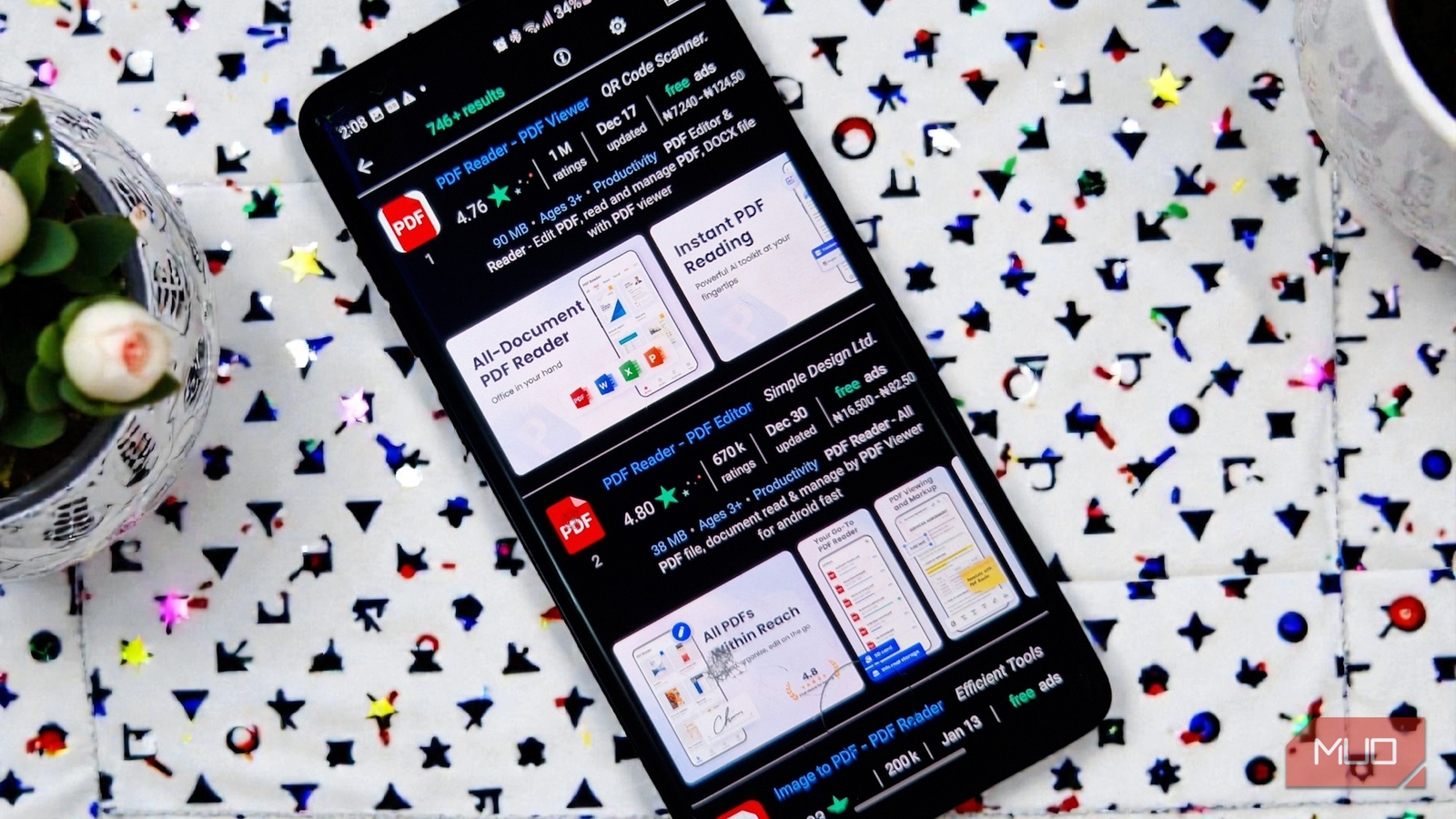
The search interface surfaces details that the Play Store deliberately obscures All the crucial metadata you need, right where you need itApp Finder’s result cards pack in so much useful information that the Play Store feels shy by comparison. Right in the search results, you see the average rating down to two decimal places (4.76, not just 4.8), a colorful bar of stars that shows how those ratings break down from glowing green five-stars to red one-stars, the exact number of reviews, the last update date, whether the app runs ads, and even the price range for in-app purchases. None of this is hidden behind a tap. It is all there at a glance.
It also handles regional variations intelligently. In the settings, you can pick your country so you only see apps that actually work in your region, along with local pricing and age ratings. You can choose between country-specific ratings, which mirror what Google Play shows locally, or worldwide averages, which can be more trustworthy when an app does not have many reviews where you live. You can even show both at once, with a subtle gray hint when local ratings are missing.
 Related
How to Change Country/Region in the Google Play Store
Related
How to Change Country/Region in the Google Play Store
Here's how to change your account's Google Play Store country on an Android phone, along with warnings about what this entails.
Screenshots are swipeable and support pinch-to-zoom directly within the result list, so there is no constant bouncing in and out of app pages just to see what the interface looks like. Feature graphics from developers are included. Tapping an app icon opens it in the Play Store for installation; tapping anywhere else shows the full details within App Finder itself.
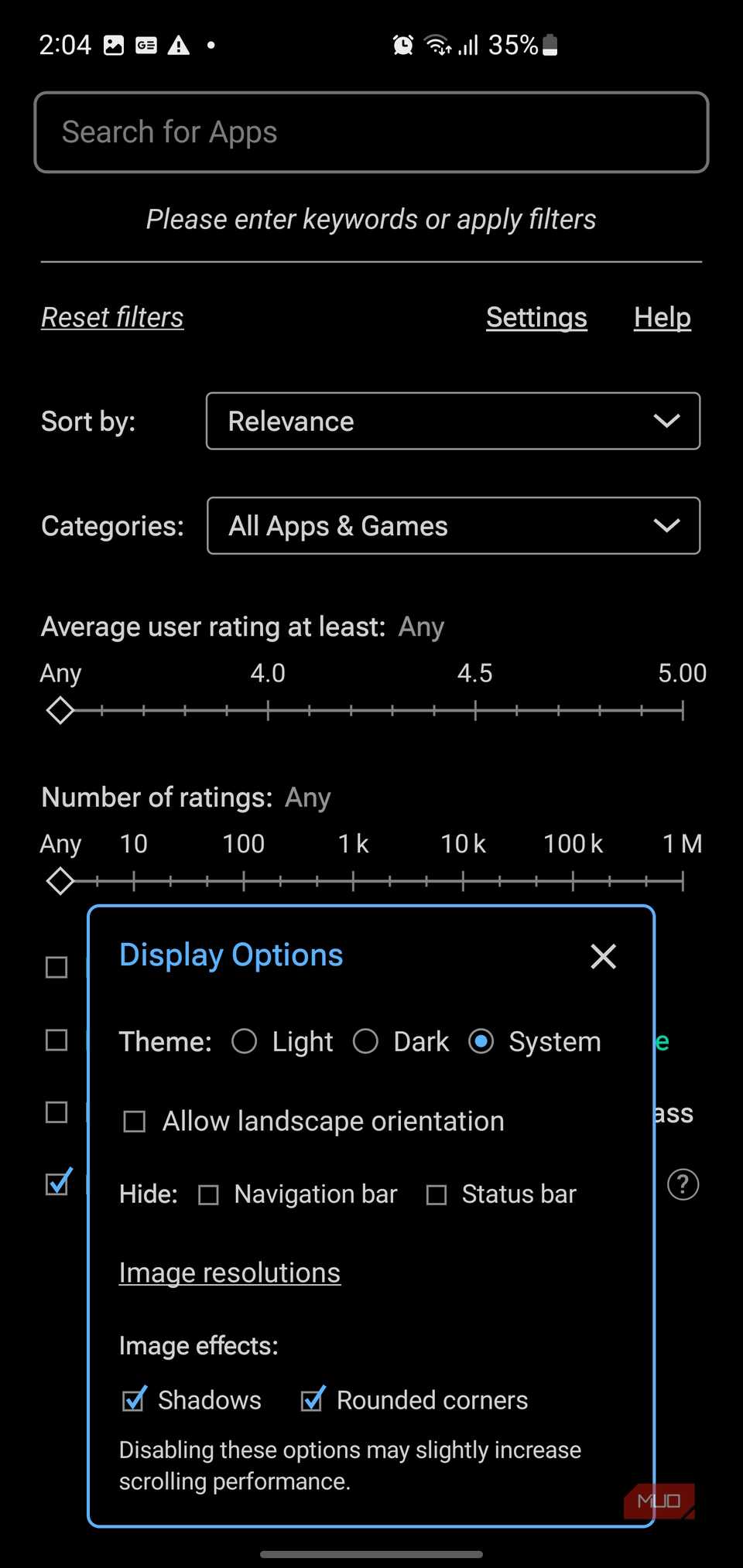
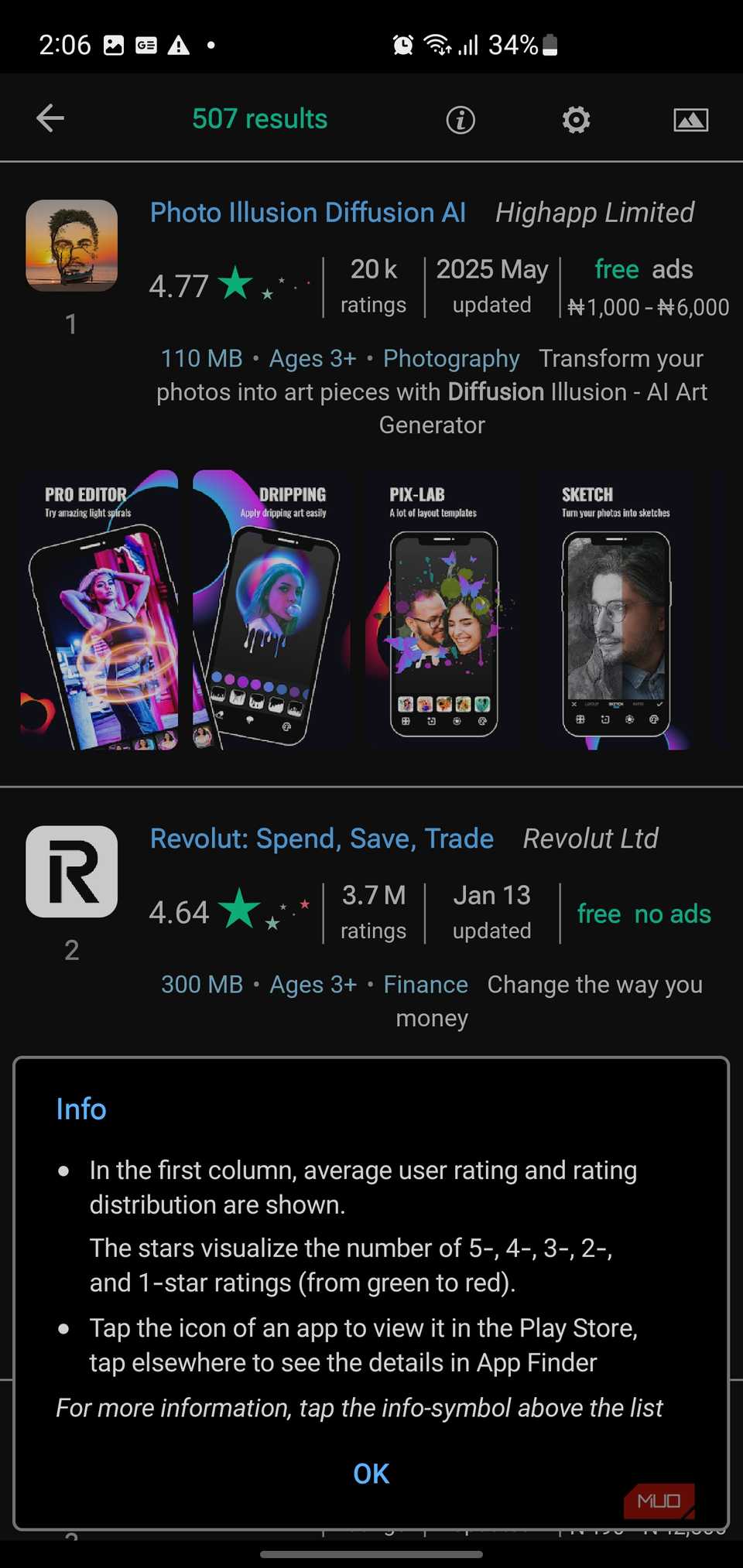

Little touches keep you oriented as you go. You see the result count up front, which is a quick gut check on whether your search is too broad or a little too picky. There is even a small info panel that explains how the colored stars work, from green five-stars down to red one-stars.
If you like to tweak how things look, App Finder has you covered. You can switch between light, dark, or system themes, rotate into landscape, hide the navigation or status bars, adjust image quality, and play with things like shadows and rounded corners. There is also a handy setting that controls how links open. Whether tapping an icon always jumps to Google Play, only does so from the results list, forces reviews into English, or always opens links in a new tab.
The Play Store experience as it should have been all alongI've started using App Finder as my primary discovery tool for a simple reason: it respects the fact that I know what I'm looking for. When I need a markdown editor with offline support, no data collection, recent updates, and modest download counts (suggesting it's specialized rather than mainstream), I can construct that query in 30 seconds and receive eight precisely matched results instead of sorting through dozens of vaguely related apps that satisfy maybe half my criteria.